It's Just Really Nice Paper

Now playing
It's Just Really Nice Paper
Show Notes
Matt really thinks he's cracked note taking, Niléane fixes every tech paper cut in her life she can find, and the whole gang pitches their new Apple product lines.
How would you have done our challenges? How would you answer the question at the end of the show? Let us know!
Main Topics Other stuff Follow the Hosts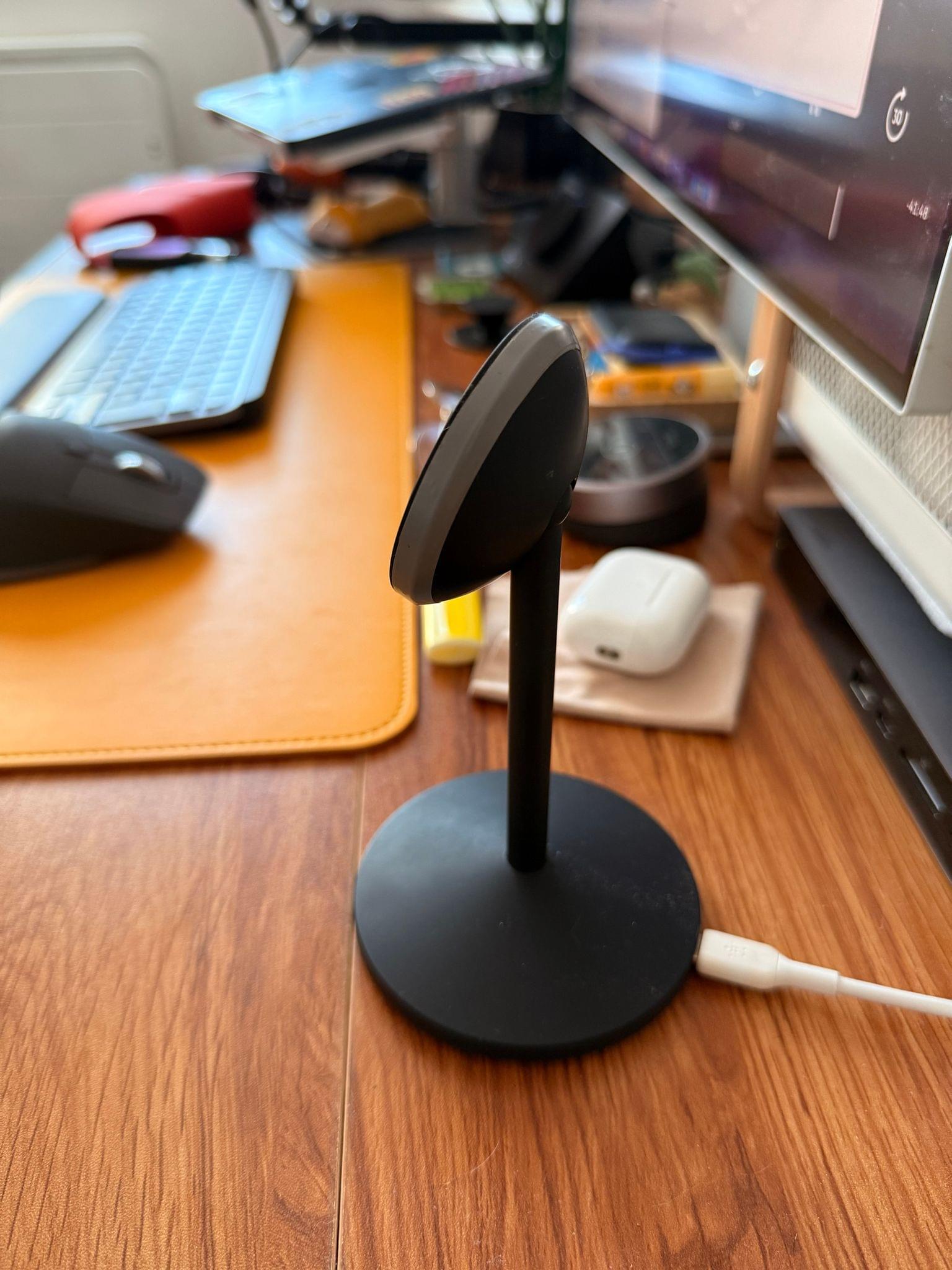
Transcript
1216 segmentsWelcome to Comfort Zone, a podcast all about pushing a host, well, outside of their comfort zone. I'm Christopher Lawley, and each week I am joined by two incredible co-hosts. As always, I'm joined by Matt Birchler. Matt, how are you doing? Oh, Chris, I'm feeling silly today. Ooh, I like it. Comfort Zone is at its best when we're silly. Yes. And we're also joined by Niléane. How are you doing? I'm doing well. Hello, daddies. Can I call you daddies? I don't like it. I don't like that. No, don't like that at all.
Oh, I don't see why. Okay, I'm doing well. The dads are fine. Yeah. But not the other thing. Yeah. That's strange. Okay. We're strange. I'm doing well. I had planned a prank for Chris. You see, Chris is weirded out by people who hold mics in their hand. And since I have a new mic today, which I will mention later in the show, I thought, hey, I will handhold my old mic.
You can see, if you're watching the video, you can see my old mic. I'm using my hand to hold it. But it would have been a difficult prank to pull off because I would need to plug another cable in. Chris would have not liked that if I plugged a different cable. Where is MaxStory's HR? I'm being targeted. This is targeted harassment here. Where is John? You used to be a lawyer. I'm assuming you're MaxStory's HR. Where are you? So, John likes the people, though. He would rule in our favor.
Yeah, and he likes a good practical joke, too. All right. Well, we have some tiny topics. Niléane, I think this is your first in the document here. What do you got for us? You're doing something. Yeah, I wrote in the document that I'm changing people's lives, just FYI. If you click that link, it's a post from a listener called Tristan. And he wrote in, Niléane, your tip about listening to Apple TV audio through the MacBook is honestly life-changing.
Their words, not mine. I only use wired headphones and I've been struggling with how to connect headphones without rigging up DACs through the TV, etc. And he said, thank you. So you're welcome. And see, I'm changing people's lives every day. And people, the people, tell you you're welcome. Hey, Matt, we know Niléane is a bit of a Mastodon expert. Are we sure this isn't just her, you know?
Is it not? I mean, it could just be Niléane, like, you know, saying she's changing people's lives. I don't know. It's a public post. It's a public post. I'm just putting it out there that, you know, maybe you're running multiple accounts and maybe, I don't know. I would have not picked Tristan as a name. Well, now it seems like you're attacking Tristan. Yeah, I know. I'm like, wow, that's hurtful. I just know better than to get on Niléane's bad side. Yeah.
The liquid glass is as close as I've crawled up to that line. But I... Yeah. I really like your name, Tristan. You were collateral in there? I'm sorry. So I last week talked about the Focus Friend app. And in there, I mentioned the allow list wasn't working for me. I have since fixed that issue. And I just wanted to mention if you were having the same issue, basically what I did is I went in to edit the allow list, deleted everything that was in there, and then just re-added stuff, like re-added apps and didn't go by categories.
So I did individual apps instead of selecting productivity category, utility category, creative category, I just went in and picked individual apps and it worked after that. I don't know why the categories aren't working. I don't know if that's an app issue or a focus for an issue or an Apple issue. I don't know. But they did just put out an update and they now have a block list. So you can either pick from an allow list, which is like allow these apps, or you can pick from a block list, which would be block these specific apps.
So whichever way you want to go, you can do that now. Nice. Love to see that app get some love. For my side, I have one follow-up item as well, which could be a topic but is so short and so simple. I'm a big fan of daily games. I like a daily game I can play daily. And I have two new ones from the same company that have just hit me. One is called Coffee Golf, and the other is called Coffee Pool.
And they are so delightful. Coffee golf is this interesting little golf game where you play five holes every day. And it shows you in what percentile of the world you're in, which I always love to see. And then coffee pool is kind of you get put into a weird pool situation, like billiards pool, not swimming pool. And yeah, you have to knock in like five balls with like weird rules. Either it's normal rules or maybe there's bumpers on the table. Maybe there's weird gravity.
Maybe there's a certain order you must get them in. And it's always a fun little puzzle. So I wanted to shout out these games. And I'll have links in the show notes so you can check them out. Nice. That's awesome. I, you know, I've been, I, I, with that, we did the daily game challenge. I had a golf game that I had a lot of fun with that I played for a little while. And I actually had to take it off my phone or iPad, whatever I had it on, because I was getting a little too addictive. And yeah. Yeah. Well, that's the nice thing about daily games.
Especially a good one is like two minutes of your time, and then you're done. You can't do too much. Yeah. Yeah. Nice. All right. Well, let's get in the main show. Matt, you're first up in the document. What do you got for us this week? Okay. Okay. So I am bringing something that is very, very, very, very, very, very, very new to me. Oh. I am four days into this experiment, so this is definitely hot off the presses, not a full review or anything.
I am using the app Capacities, which is pitched as a studio for your mind. So it's one of those sorts of apps where it kind of revolves around daily notes and creating other notes for whatever you want. And you can link them back and forth. And kind of the thing that they do is they let you create objects. So everything is an object in capacities. So your daily note is an object.
And you can create a template for it and assign tags and properties to it. Think of like a notion sort of thing. There's other ones for like people, meeting notes. You can create your own like custom whatever you want. So like if you wanted to use this to track the movies you watched, you could create a movie object and give it like director, release year, poster and all these things. So kind of your own little quick reviews if you wanted. But it is, yeah, just one of those things.
It's kind of in the vein of what people use Obsidian for, Notion for, Rome research. If we go back to like the 2019 heyday of backlinking, the backlinking revolution that kicked off in notes. And I am trying it because I've had just so many challenges at work recently where we're getting into like quarterly planning time and like I need to defend the things that I want to do and why we're doing them and who asked for them and who's going to use them.
And I keep it all up here. But it turns out if you need these very specific things, it's hard to remember exactly. So the brain is good for remembering themes. And obviously we need to do this. But who was I talking to that said this thing? God, it's hard to find in a calendar search even. So I have been basically using this for meeting notes. And then I've actually stopped using things for my task management for four days.
I'm sure I'll be back. But I'm using the daily note to just like make little tasks. And then the day before, so like what I've been doing, and this is such a good practice and I always like doing it and I always stop doing it, is basically before I like wrap up work for the day, I'll go to the next day's daily note and I will write down like, here are the things that yesterday me said I wanted to do. And so I don't forget what they are and don't like open Slack and see my 200 unread messages and get sucked into those things.
So that's all the concept. In general, this is a pretty nice app, although it's not, I'll say it is nice, but there's a couple things that are just little paper cuts for me. Keyboard shortcuts aren't as good as they should be, I don't think. Like there's some places like I feel like we're very used to you open like a modal, like a little note comes up as like a pop up over the whole screen and escape. You would think get close it. No, escape does not close it. You have to click in the like on the background to get rid of it.
There's little things like that here and there. So I don't adore it, but it is actually pretty decent for having kind of this like concept of daily notes and meeting notes, which is kind of my main thing. So this lets you connect your calendar, Google Calendar or Outlook. Looking at you, Chris, I'm so sorry. I remember I switched to Google Calendar. Oh, that's true. That's true. Okay. That's a lot easier to switch from iCloud to Google Calendar than it is to switch your email to Google Business.
That was one of those things I gave up because of, well, the product shall not be named anymore. Okay. Yeah. But anyway, so you can connect your calendar. So basically the UI, if you would imagine, and the center is your note, the note you're working on, which is typically your daily note. On the right is your calendar with a list of your day's events. And just to be, I've shared screenshots of my calendar with you guys a few times. I live in a nightmare of meetings. I don't know how you get anything done.
Well, that is the struggle I'm trying to fix. But yes, just for listeners, I have probably eight to 12 meetings per day. It is wild. Insanity. I know. So anyway, so when I go into a meeting, I can hit the like the calendars events over there. I can just hit a plus button. It immediately creates a meeting note for me with the name of the event. And then I've been using, there's a billion ways to record meetings. So I've been using ChatGPT, the desktop app, just has a record button on it.
and it will record your video call and will create a meeting summary for you afterwards, which is pretty decent. It does a very bad job of naming people because all it does is record the audio. So if you don't say someone's name in a meeting or say, I am Matt, and I am committing to do this, the action items will not necessarily identify me as the person. So I need to tailor those. I just had like a corporate Vietnam PTSD flashback moment where that is absolutely how meetings are going to start working in like the next few years of like, I am Christopher Lawley, senior blah, blah, blah, blah, blah.
Okay, AI, now you have identified me. I can start speaking now. So if you want a peek behind the curtain, in the corporate world, a big, big thing that is huge right now are these AI assistants that will join the call as a participant. So if like the four of us were or three of us were having a meeting like for like work work, there'd also be a fourth like just bot silently on the call called like read AI assistant or there's a bunch of companies that do this. And so they actually do have all the names and they know who says things.
And so because they're like natively in the call. And those two are pretty good jobs. Oh, so they can see like the, oh, this person is talking. Yeah. They've logged in and it shows their name. Yeah. They're actually in the call. They can actually know who's saying what and everything. Those are actually nice because, well, not to get on a tangent, but those are nice because when you like have another meeting with the same like client or whoever, the morning before that meeting, ReadAI knows that you've talked to them already and they'll remind you what you talked about last time with them, which is so helpful. That, okay.
That I could see being really nice. There was a lot of times I'd have calls with like vendors or something or like people that consulted with us or contractors or whatever in my IT days and be like, why is this meeting about again? Yeah. Yeah. So not to get too far on that tangent, but basically now what I have in capacities is I have a daily note where I'm just writing random little things and keeping a little task list for what I'm working on. And then I have these meeting notes where I have the summary and then I have my own notes that I take during it if I want to like note anything particular.
And what I'm hoping this will do, and I'm only four days in, so it's hard to say how successful this will be. But I'm hoping that I can use this to easily search on the things that I've talked about. I've created tags for like different projects, different people. So I'm hoping this will make it easy to search through that stuff and remember actually where I said things. obviously I could do this in just plain text files I could do this in Obsidian, I could do this in Notion so I don't know if Capacities is the place to do it but I wanted to give it a shot because I heard about them a couple years ago
and kind of bounced off it but wanted to give them another shot last thing in terms of cost there is a free tier that is quite good lets you create unlimited notes lets you attach things lets you create as many objects as you want, has full search and everything. So that's nice. But Capacities Pro is probably what you want. It's 10 bucks a month. And that adds the calendar integration, which is like the core thing for me.
So if I keep up with this, I'm gonna have to do that. There's a 14 day trial I'm on right now. Task Actions. Task Actions are cool. So I'm making these like to-dos in Capacities, but they have integrations to Todoist, to Things, to other ones, I think. And so on the task, there's a little paper airplane icon. You can click that, and it will mark it as sent to your task manager, and it'll create a task in your task manager. That's very nice. Yeah. I just built a shortcut that basically looks at my Obsidian daily note and uses the use model action to basically look at it,
See, pull anything that might be a task and then add it to Todoist. So that's actually kind of cool that it's built right in. Nice. Yeah. Yeah. It is pretty cool because I'm basically making my tiny little tasks for myself. Tickets. Oh, boy. The corporate world is seeping into my brain. Tasks for myself. You're literally just giving me like PTSD flashbacks. I know. Welcome to my world. I thought I was out. But yeah, so I'm basically making those tasks. and then as I finish them throughout the day, I just check them off.
And then the ones that I don't, I can either move to the next day's note easily or I can make a things task. So pretty nice. The other thing you get is AI search. And unfortunately, the AI search is like the worst thing in this. It's not at all what I expected it to be. Basically, all it does, you have to give it context. And so you have to give it like specific meeting notes and you can say summarize this meeting or ask questions about that specific meeting but there's no way to just like bring up a thing that says find all the meetings where i talked about this it doesn't like have the full context of all your your notes like notion does
with their ai feature so that's a real bummer so if i like find all these things later i need to just do a normal search do you know if that search is happening on device or is it going out like Could it just be using a really small, older model? It's using 4.0. Oh. Yeah. You can bring your own key, but the way it is in the UI, I can't really describe it really well, but you kind of have to add context to the thing. And if you add no context, it's like, what are you talking about?
I have no idea about anything in your library. So kind of a bummer. Hopefully that'll improve. But yeah, just out of curiosity, I exported these to Notion and created like B-Node to Notion and then did a random search and it totally works. So hope they improve this. Notion search is no joke. Like it is really, really good. But this app reminds me a lot of Agenda. Have you used that? I was about to say. Oh, nice. Yeah, it looks a lot like Agenda.
Agenda was one of those apps that was like big, like 2018, I want to say, something like that. Like that was a big app. And it kind of does something similar to this that it's like, here's your calendar events and here's your daily notes and kind of things like that. Yeah. I like this more than Agenda. Okay. That's all I will say. Okay. Okay. Fair enough. I do have one other question. Why use a separate app? Because I know you use Obsidian to do a lot of your writing. Why not just do Daily Notes and Obsidian?
Because they're big on that, and there's a lot of plugins and stuff that you can use to really customize that. Yeah. I think it is something I should explore. This is definitely not one of those things where I'm coming in and saying I have found the perfect solution. This is definitely me just trying something and seeing how it works. Obsidian is probably the best place to do this, ultimately. What I like about Capacities is it's built for this. The UI is really built around this. And like, honestly, that ability to see my calendar and click one button and have a meeting note already created,
like formatted correctly and everything, that's really nice. There is Obsidian plugins that do that. I know that. Okay. So I'll have to look into that because, yeah, obviously Obsidian would be free as well to get all these features. So yeah, something to explore, but just the idea of me taking notes is a brand new concept because I hate notes. I hate taking notes. I hate a second. I don't like the second brain concept. Yeah. I love the concept.
I just can never make it work for me. There's definitely a balancing act. I'm not full second brain where like everything is linked and there's one senior note and then like there's junior notes or whatever they call them. I don't remember. But there's bits of the second brain stuff that I take And I kind of mold into my own. And I am a big, like, if this is a piece of information I will need or an idea or something, I will write it down. And I write it down all in one place, which is obsidian for me.
Yeah. Yeah. You know how, like, people think, like, AI stuff is, like, all a scam? I think that that web, that, like, the array of, like, here's all your connected thoughts, I think that's the biggest scam. I don't think anyone actually gets value from it. It's data. No, it's not Data View in UpCity. What is that called? I don't know. But it's like a web and they like bounce around when you load the page. And I think no one's gotten value from that. I think everyone's lying. It's a big... Yeah. Turn it off. 100% turn it off.
I do not have it enabled. Turn it off. It does nothing for you. It does not do a single thing for you. It is there for product promo images. That's it. Yeah, it looks kind of cool. Exactly. But it does nothing for you. Yes. So that is it for me. Capacities might be cool. I don't know. I'm figuring it out. Okay. Well, that means we're going to have to follow up. Oh, no. Yep. It's going to be what task manager are you using, Matt? What task manager are you using today? What task manager?
Oh, no. I thought you liked OmniFocus. We don't need to talk about it. Actually, OmniFocus has got the feature that I basically beg every task manager to get and now has like a start and end date thing. So like when you start on a project or start on a task and when you're going to end on it, because it's okay if a task takes more than one day, people. It's okay. Argueable. Arguable. I can't make a video in a day. It's fascinating when you talk about these apps that I never use.
Well, I mean, there's also paper, paperworks. Stickies? Note paper with like little sticky bits on the back, maybe? I am happy Todd got an update this week. Oh, I like Todd. Yeah. You know what I've been using this week is my sidekick notepad. And one thing that I've been doing is every morning, I take all the tasks that I need to complete for that day, and I write them down in a specific order of how I'm going to do them. And that's actually been really helpful for me.
It's just kind of a way to like literally, and I'm not copying everything out of my task manager because there's a bunch of little things or things that if I have time, I'll get to. But like the core stuff, and it's been really helpful. Okay. Keep that in mind when we get to the challenge. Might be relevant. Okay. Please keep in mind we're two weeks out from the iPhone event, and it's the busiest time of the year for me. Please don't break my system. Niléane, what do you got for us this week? All right. What I have this week is something that will break your system.
No, I'm just kidding. I, you know, sometimes there are weeks where not much happens and I don't have much to bring. Except that also because it's been a week where a bunch of work has resumed from the summer break. However, I have been fixing a bunch of paper cuts and I thought I would bring them to the table today and go through all the paper cuts that I fixed this week.
and I'm happy about them. The first one, you will give me static about. Many episodes ago, I mocked you for turning off auto-lock on your iPhones so that your screen never goes to sleep on its own. And I've done the same now. Welcome to the club. You've come to the light, my child. Yes. The reason is simple is because I have my phone on the stand a lot on my desk.
And sometimes it's just easier to just keep an app open all the time for the duration of when I need it. And then I just lock it manually when I don't need it. And I realized that I click the side button manually all the time anyway when I put my phone away. So there you go. You were right. I will never say this again, so savor it. Oh, I am. I am. This is exciting.
A second fix is something that I posted on MasterDone, actually. I came up with a user script. I don't know if you know about user scripts. User scripts are small snippets or bigger sometimes snippets of JavaScript that you can use with a browser extension on your computer. And they add or modify functionality on websites. And there are user scripts that do literally anything you want.
But sometimes those you want don't exist. So I asked ChatGPT to come up with one because I don't know JavaScript. But the one that he came up with is very, very simple. it's a user script to fix Instagram Reels on the web. So you know how when you go on Instagram on the web, on the desktop computer, you watch Reels, the only two controls you have is mute and unmute,
and play pause by clicking on the video. You can't scrub through the video, jump around, you can't modify the volume, like precisely, just turn it down, You can't do that. It's either mute or unmute. And a way to do that, and this is what the user script does, is it force enables your browser's native video controls on Instagram so that it brings back a very classic video control toolbar on every video with a scrub bar, play pause button, volume slider.
And in Chromium browsers, I don't know if that's the case in Safari or in Firefox, but in Chromium browsers, at least you get even an option to change the playback speed. It's really nice. I will have a link in the show notes if you want to use the script yourself. Third thing is I have a new mic. I got the new mic because I've been struggling to make it, make the old one work consistently, as Chris can attest.
Editor Chris can attest. I don't know what's going on with this mic. So the old one was the Audio-Technica ATR 2100X, something like that, approximately. It's a great mic. I think it sounds great. However, I found it really difficult to set right. The gain moves by itself, it seems sometimes. I think it's because it's very sensible to the way it's positioned.
And I'm not good enough. I'm not consistent enough to deal with that. So I started searching for a mic. And one that came up often in recommendations online is the Shure MV7. line. This is the one that Matt already uses. They are much easier to deal with. I don't know my things, but basically they're easier to deal with in terms of position, in terms of getting
the gain right. So yeah, I got that. They're a lot more forgiving. Yes. They're the modern version of the mic that I use, the Shure SM7B, which has been around since like the 80s. It's claim to fame is this is the mic Michael Jackson used to record Thriller. Like that was its claim to fame. Yeah. This is not an easy mic to work with, the mic I have. I got this one way before the MV7Xs came out.
My brother is an audio engineer, and he was like, just buy this one. And then I had to buy a cloud lifter, and I had to buy a very specific audio interface, and blah, blah, blah, blah, blah. a bunch of money later just buy the one Niléane and that half yeah and to be precise i got the mv7x which is the so the very simple one that they sell today uh so they have the mv7x and the mv7 plus mac has the plus i believe the plus one you can plug in via usbc and it has controls on the mic itself etc and led even does it have anything it does yeah it's the only one plugged
in with usb so you never you never see this just off for me oh that's so sorry we could get more rgb in this in this shot if you want uh but yeah the mv7x is just xlr no usb and literally there's nothing on the mic there's just a xlr in and that's it so perfect and yeah so far so good i've just using it in meetings this week. Well, on the recording, you sound very, very good. It does sound very good. Or on the live part.
I guess we'll see what the recording is. We'll see in the recording. We'll see. Who knows? I did some test recordings and I hate my voice now because I can't, yeah, I've had to hear myself a lot. Okay. Fourth thing is I bought a bit of plastic for my hand. For my hands. I saw this in the show notes and I'm like, what does this mean? I wrote, yeah, I kept it vague just to be fun because I'm fun. A bit of plastic for my hands.
This is it. This is a pop socket. It's a pop socket. Oh, okay. I have a feeling Chris has very strong opinions about pop sockets, and they're not positive. So, wait, wait, wait, wait. This is a MagSafe pop socket, okay? Okay, okay. Which means it snaps in a satisfying manner. Satisfying. Okay. Yeah, yeah, yeah. So for those who don't know, it's a thing. It's a handle that you attach to the back of your iPhone via MagSafe.
In the old days, you would stick it on the back of your phone or on the back of your case. And it just helps holding your iPhone without hurting your pinky and etc. This is a sad story, though, because after two days, I could no longer bear it. Oh, no. I don't like it. Oh, no. When I put my phone away in my pocket, it catches on my pocket. So it makes it so I don't have the...
My pinky doesn't hurt anymore. However, my index finger hurts now. It's just moved the pain into a different finger. Oh, no. Yeah, I suppose something has to hold it up, right? So, uh-huh. Yeah, yeah. So, I don't know. I don't like it. I don't think it's worth it. This is expensive for what it is. How much was it? So, this one was $15 at the store. I got it. But some go for $30, $40. They can go really, really, really expensive.
So this is a sad story. Chris, what's your take on the popsicle? I actually don't care. I've never used one. I was doing a bit. I was making faces at the camera. I don't care. I've never used one. I don't need one. I have big hands. I can hold a Pro Max phone one-handed and type on it one-handed. It doesn't bother me at all. Okay. If you like them, you like them. If you don't, you don't. It doesn't bother me either way. One of my favorite things is when we're talking about something that Chris has a very strong opinion on and he's just grabbing the table and like, I want to talk.
As soon as they pause. I need to rage. I need to rage. I can talk about superhuman anytime you want, Chris. So my fifth item is clack. Just kidding. So after a bit of plastic for my hand, I got a bit of memory foam for my feet. See, I'm funny. Because you have a standing desk now. Exactly. So I've got a standing desk. So I got a, I've put a link into the show notes of the one I, specific one I bought on Amazon France.
But it's just like a mat that you put on the desk. You take, you slip it out when you're in standing mode. And it's just a bunch of padded memory foam for your feet when you're bare feet. I'm bare feet at home, by the way. I never wear anything at home on my feet. So Chris has a take on bare feet, apparently. I find feet disgusting. But see, with this, basically it's meant for also the kitchen when you're standing in one place in the kitchen for hours at a time,
doing the dishes or whatever. And I think this is very nice. It's very comfortable. If you're looking for something like this, they're called anti-fatigue mats. And I also recommend them because when I've used standing desks in the past, it sucks to stand for a long period of time and not have something like soft to stand on. Because I used to have hardwood floors where my old standing desk was. And standing on hardwood floors for like an hour barefoot or just wearing socks or something like that is not fun.
So, co-signed. Exactly. Definitely. All right. How much is that? Sixth item in my list. Another paper cut I fixed. I wrote in the document electrical tape for my charger. So like I said, I use a stand in a stand, a Cheeto stand on my desk. It is the Anker Mago Cheeto stand. I mentioned it a while ago on the show.
Can you guess how, why I used electrical tape on this stand? I can guess with 100% accuracy. Okay. I've put in a photo in the show notes if you want to click it. I haven't even looked at that, but I know what the stand is, and I know exactly what you did. Because every time you go to pull your phone off the MagSafe charger, the charger comes with it. It doesn't stay on the desk. So what you did is you took the tape, did double-sided, and then stuck it right to it. I would have used double-sided sticky tape, but making electrical tape double-sided would work as well.
Matt, what's your take? What do you think I did? That was my guess as well, because I don't see any tape in this photo. Ah, see? So none of you are right. What? This is not it. You can click the photo. Listener, you also have a link. Oh, it's around... It's gray electrical tape. Yes. It's around the charger, around the round coil, the part where the coil resides. Can you guess now why I did that?
It came apart? No. So just before I go into the reason why, I want to just, what you said, Chris, I already fixed this with this charger a while ago. I have put adhesive putty underneath. Okay, yeah, yeah, yeah. So that it stands firm on the desk and it doesn't come with the phone. I did that with the Serodici Moment Infinity just iPhone stand thing. That one, I did double-sided sticky tape with that one.
So it would stay in place because every time I'd go to pull the phone off, the stand would come with it. So that's why I thought that. Yeah. So no, the electrical tape on this one is because this charger does something. It has a strange feature that they advertise it for, is that the Cheetos part, the MagSafe part, the magnetic part, it rotates and it clicks in place. So it's quite satisfying, actually, the first time you use it because you can rotate your phone to use with standby mode, for example.
However, it's way too sensitive. It's very easy to flick it and it just rotates on its own. And I usually just finger tap my, index tap my screen while it's on the stand. And every time I did that, the phone would rotate on the stand. It's infuriating. Small things like that infuriate me. So I grabbed a piece of a small gray electrical tape and taped all around the charger.
I did it in the cleanest way I could. And you did not realize it was there at first. So I think I did a good job. And now it doesn't rotate anymore. It's in place. And I can still rotate the phone on the stand, of course, because, you know, there's friction. And I like friction on my stand. Anyway, last fix is regarding my new desk. I have purchased something that I never thought I would purchase and yet I did it's a rubber edge tape thing
that you line around your furniture so in this case around your desk it's kind of rubbery, silicone-y the material is TPE and I did this because the edges of my desk were too sharp to my liking. And yeah, this infuriates me as well. Didn't want to return the desk just for that. So bought this thing off of Amazon and it works great.
And it is fixed in place. So the one I linked in the show notes, you have to measure the thickness of your desktop and just pick the precisely cut size. And it's perfect. It's U-shaped, so it goes around the edge. And it's very thin, so it doesn't take much space. That's smart. I definitely, so at my last IT job, I hated my desk because it wasn't really a desk.
Like this whole, it doesn't matter. But it was essentially a countertop that I, because like my office was really weird, but it always had like a sharp right angle to it. So if I was wearing like short sleeves or something, it was like super sharp against my arm to the point where I was always wearing long sleeves in Fresno when it would be 110 degrees outside because it was so sharp against my arm. So I totally get where you're coming from on this. Like, yeah, that's an annoying thing.
And if you make a desk that has right angles on the edges where your arms go, you are a bad person. Wow. Yeah, yeah. Okay. That was a real smorgasbord of... Yeah, I'm done. Paper cuts fixed. Life is good. Except the pop socket was a failure. There was an attempt. I love a good paper cut fix week. I think I've had a topic like this before, or a couple of times maybe, where it's just like, You know, here's a bunch of things I fixed this week, and I just feel good about it.
You feel good when you fix things. Yeah. I had to fix my garage door recently. That was not. Anyways, that's all I'm saying. What a paper cut. That was a whole thing. All right. Well, you guys ready to get in the challenge? Oh, yes. Yes. All right. Well, it was my challenge, and the challenge was pitch a new Apple product line. And something we talked about in the show was you had to come up with a line of products, the names and some features and stuff like that.
Would you guys like me to go first? Yeah. By all means. Okay. So the product that I really want Apple to make, and I actually came up with a couple, but the one that I settled on is just so obviously me. I want them to make a TV. Like, I know it was rumored for years that they were working on a TV, and I'm not talking about a set-top box. I mean an actual TV with a screen. And the screen is the important part. Because how I want them to make it is the M4 iPad Pro has an OLED display.
And everyone that's ever seen one has one comment about it. It is the best OLED display they have ever seen. Right? Matt, you have one? Niléane, have you seen one? No. I have only the latest iPad Pro I've had was the mini LED. Okay. But Matt, you have an M4 one. And you have other OLED displays. Would you say the M4 iPad Pro has the best OLED display? Yeah, I'm looking at an OLED screen right now. Yeah, it probably is, of all things considered.
Very, very good. So I would like them to take that tandem OLED technology, which I kind of got some briefings on this when the product was announced and I was in New York. And basically, they had to take two OLED displays and smack them together. So the three products, the models that I would like is a 65-inch TV, which would just be called Apple TV. And the names are going to be confusing because this is Apple. I was going to say, I'm already confused. The names are going to be confusing because this is Apple, people. Like, they're going to do it in the most confusing way. This is your call.
It's going to be called Apple TV, and the Apple TV will remain Apple TV. And the Apple TV will remain the Apple TV, yes. It's going to be the most confusing naming possible because it's Apple. Is it going to be two separate items on the main menu at Apple.com? There's Apple TV and Apple TV? Yeah, yeah, yeah. So they'll have the Home tab or whatever it's under right now with all the HomePods and stuff. And there'll be Apple TV, and it'll have the set-top box icon. And then there'll be Apple TV, and it'll have a TV icon. And you go to the TV icon, and there'll be three models. So there'll be a 65-inch Apple TV, a 75-inch Apple TV Pro, because you need a professional TV at 75 inches,
and an 85-inch Apple TV Pro Max, because they're going to follow the naming. They thought about doing Apple TV Air, but that didn't really make any sense. It's going to cost one bajillion dollars, because if you think about how much that iPad Pro costs, 85-inch TV is not going to be cheap. So this is probably why they won't make it. It'll have the Apple TV, the box, built into it. It'll have CEC that actually works properly.
But here's where I went a little crazy. I was like, Apple loves their accessories. Apple does not put out a product that doesn't have accessories. I mean, if you think about the iPhone, they have cases, they have MagSafe. I would count AirPods as an accessory to the iPhone. Apple Watch even, and that's like a whole other thing. You know, the Mac, you have keyboard and mouse. The iPad, you have Apple Pencil, MagicTry, all that stuff. So the accessory for this would be a gaming controller. Apple is finally going to make a gaming controller. So one, you can play all the native apps that come to the Apple TV.
You don't need to go and buy a PlayStation controller. They're going to sell you a game controller that Apple made. This is an Apple branded game controller that Apple made. But Apple is also going to embrace game streaming and either buy, most likely buy, or partner with a game streaming company, which probably won't be Microsoft or NVIDIA then. It'll probably be one of these smaller ones because they have beef with both of them now. But yeah, so that's my thought process on the Apple TV.
All right. I really like the name. Thank you. I worked really hard on those. The better part, yeah. Yeah, truly just a chaos demon decision to call it Apple TV. But let's be honest. If Apple was to release a physical TV, they wouldn't stop making the set-top box. That would be dumb. Maybe they would. But they would name it the Apple TV. I don't think they would because I think even they know it would be too expensive for most people if they made a TV.
And they're not going to want to give up the set-top box thing because of Apple TV Plus because I'm sure they get a lot. I mean, look at, like, by default, on the Apple TV, it goes to the TV app when you hit the home button. And that thing is just chock full of Apple TV Plus advertisements. Like that app, I loved that app before Apple TV Plus. Now I'm like, okay, like there's too much of your guys' stuff in here. Okay. Would it have HDMI inputs on the back? Oh, yeah, yeah, yeah. Yeah, yeah, yeah.
I said they fixed CEC too. I think Apple would realize they have to have that for game consoles. And like what I didn't get into, what I was going to explore a little bit more under the accessories category is they would make a soundbar, subwoofer, and rear speakers as well to take on Sonos. But I didn't put that in there. But that was another thought I had. Okay. I would not be able to afford this, but I would want it. I would have to take out a second mortgage for it.
All right. All right. Niléane, what do you got for us? All right. Don't click my section. Just don't be spoiled. I will reveal as we go. Okay. Yeah. Okay. I'm getting cozy. First off, good morning. And second. Good morning. Good morning. Second, we have one more thing. Whoa. I didn't think about presenting my in-kirak style.
I almost did slides, but I did this today at the last minute. and I didn't have time to make slides. Oh, that would be fantastic. Yes. Okay. This product is called the Apple Pack. And I have a non-working prototype to show you. Okay. Whoa. All right. There you go. This is the Apple Pack. So it's a backpack, but made by Apple. Okay. Yeah.
It's white, single color. Yeah. This is a non-working prototype. Okay. Nothing is contractual here. It doesn't work. That is a non-functional backpack. No, it's just, yeah. You know, like when they showed off the air power after the event. Oh, okay. We don't know if they have the technology for this. Yes. This may not ship. This may not ship at all. I will get to shipping in a moment. Okay, okay. So this is a backpack. It has Find My built-in.
Ooh, okay. And in this backpack, everything works with magnets, of course. So the straps are detachable with magnets. They clasp into place, very strong magnets. You can trust them. The main flap at the front also with magnets. It's a zipper-less. The Apple pack is zipper-less. And the magnets everywhere, including the pouches, the flap, the straps, They all auto-lock when your iPhone is away from Apple Pack.
Okay? So if you walk away, everything locks. And also when you wear it on your back, the straps have sensors to detect when you're wearing it, which means everything locks. You can't get pickpocketed when you're wearing the Apple Pack. When you're wearing Apple Pack. Sorry, no the. Of course. It doesn't stop there, of course. This Apple Pack features a built-in battery.
Why? Because the front pouch has wireless charging for your accessory. So you just throw in your iPhone, and it snaps into place. It's lined with magnets all over the place, and coils will just snap into place inside the pouch, and will charge. using the built-in battery in Apple Pack, of course. On the straps, when you're wearing it, so this strap is in front of you, right, on your chest, on every side of your chest,
you have a special pouch for your AirPods. So you slip your AirPods in, and they will charge as well when they are inside the pouch, right? It doesn't stop there because, of course, Apple Pack integrates with Apple Watch, which means it will plug in into your whole data set, health data set. It measures your carried weight at all times and sends you notifications if it's too dangerous considering your current physical condition
as measured by the Apple Watch, of course. Yeah, and it also measures and tracks your balance when you're running, walking, standing with the Apple Pack on your back. Apple Pack. Yes. Go ahead, go ahead. I was going to say, is there room to expand this line in a future year to an Apple Pack Ultra for like mountain years? We will get to that, of course, Mr. Batchelor. Okay, apologies. This Apple Pack comes with accessories. You can accessorize it.
Nice. Yes. The straps, of course, like I said, are detachable. You will be able to customize your straps. Seasonal colors will be released every year. I was so excited when you said they were magnetic and you could replace them. I was like, yes. Just pick them up, replace it. The Apple Pack, as you can see, features starlight white. It is starlight white, of course. There will never be another color. It's just starlight white.
However, the straps, you will have a full range of colors, seasonal colors every year. You can change out your straps every year. It will be very, very fun. So there won't be another version of Space Gray for this backpack? It's just Starlight White, obviously. 51st version of Space Gray? Oh, that's disappointing. I mean, we do not come out of future products. Oh, yeah, yeah. In my head, it looks like the Vision Pro carrying case material. It's got sort of like astronaut white.
Yeah, let's go with that. Yes. The straps, they will be the same silicone as Apple Watch Pants. So very strong, very resistant. Apple Pack is, of course, water resistant. Just resistant. However, there's another accessory you can purchase, which is the rain shield. The rain shield will be a full-on enclosure for your Apple Pack, which you can add on with magnets as well. when it's raining outside.
An exciting addition to Apple Pack is the compatibility with Mac Pro wheels, which you can attach. Sorry. Didn't see it coming. I did not see that. That was fantastic. Which means you can turn...
I'm sorry. Sorry. This is all staying in. Okay, so what do you do with the wheels? Sorry. Okay. Which you can attach to turn it into a suitcase. of course yes yes in a suitcase all right and the final and major accessory for Apple Pack is the charging stand
the charging stand of course is beautiful it's made of aluminium and you will be able to place it in your home next to your main entrance the idea is that you come you come home just Apple pack on its charging stand the built-in battery will recharge 50 hundred 50 50 thousand million powers plenty of juice in there so that will be able to recharge on the stand the stand is beautiful you can also put it in a
very you can showcase it like you can showcase Apple pack in your living room it will be beautiful. All right, but that's not it. That's not all. Sorry. Yes. We will also release Apple Pack Pro. Apple Pack Pro is everything you love about Apple Pack, but with bigger capacity and a modular interior design. So you'll be able to customize the layout inside Apple Pack Pro. We're very excited about this. Of course, it means every Apple Pack Pro will be very, very personal. You will be able to suit it to every use case. Apple Pack will ship in 2030,
and Apple Pack starts at $12.99 US dollars, $15.99 in euros. Apple Pack Pro starts at $17.99 US dollars, $19.99 euros. The Apple straps for Apple Pack will start at $99 each. So that's, of course, 119 euros.
And straps with AirPods pouch will start at $149. Of course, €179. Rain Shield to protect your Apple pack will start at $49.59. And Mac Pro wheels will be discounted when sold with Apple pack. and they will start at $4.99 US dollars instead of $6.99.
Huge discount. We're very excited about this. Get those wheels out of the factory somehow. Can't wheel them out. And of course, the charging stand will be $99 US dollars. It is sold separately. Honestly, the accessories seem reasonably priced. Yeah. I would buy this. That's not price. I have a bit of a you've already sold I have way too many bags already but I'd buy this so very excited
see you next time and now you too oh god no run run check your music library it's already there I would like to thank my partner who brainstormed this with me just an hour before we start the recording this was very complete very good It was very good. I love the presentation. And the Mac Pro wheels, that was just... That was perfect. I didn't see it coming. I did not see that coming. That was fantastic.
Matt, what do you got for us? Well, good morning, first of all. Good morning. Morning. You can click into mine if you want, because I didn't put it there. So you can't... No spoilers. You have no idea what I'm bringing. It may even appear that I don't have anything, but I do. I am bringing Apple Print, a printer that just works. And isn't that what we all want?
We said these could be sci-fi ideas. They don't have to be technically possible. This is a printer that just freaking works. We did not say that. I don't think we did. I am following the rules as I always do. So here's Apple print. This is, you're going to love this. I'm going to talk about the design. We're going to talk about the features. And then as Neil again said, there have to be accessories. So we do have an accessory for this. So design wise, you can already envision it. It's beautiful. It's made of a mixture of aluminum and the highest quality polycarbonate you've ever seen.
It comes in two colors, white and space gray. So whether you're at home, in an office, whatever work setting you have, whatever setting you need to put it in, it's going to fit right in. You're going to be proud to show this printer. One of the key features of this printer is that it prints silently. You don't hear it printing, and you can put it on the most rinky-dink little stand you want because it doesn't shake back and forth when it prints. We're using advanced gyroscopes to do whatever they do to make it so it steadies itself.
This is, of course, going to be a color laser printer. So it's not going to run out of ink or have the ink dry out as you inevitably don't use it every day. You don't have to use every Apple product every day. You're going to use this once every three months. But when you need it, it just works. So that's the core design. It's going to look beautiful. It's going to look like just a rectangle, but it's going to be very nice. Now, obviously, I hear what you're saying. I don't need this.
I need some features that are really going to blow me away. So when you take Apple Print out of the box, it's the easiest printer to set up you've ever set it up. You just open it near one of your Apple devices, and just like AirPods, a little thing will pop up with a spinning printer, And it will say connect, you say connect, and you're done. Two seconds of work, you are there. Now, how do you print from it? You know how to print, but we make printing even easier with Apple Print.
Because, much like transferring something from your audio you're playing from your iPhone to a HomePod, where you just hold it next to it, if you have a PDF or a document pulled up on your phone, Just hold it next to the printer, and it will immediately start printing it for you, again, silently and without rocking back and forth. Additionally, Apple Print is battery-powered, so you don't need to have it plugged in ever if you don't want to. Well, to charge it up, you do, but you don't have to have it.
You can put it wherever is convenient for you. Maybe you don't have it by an outlet. Maybe you want it somewhere in your office. Again, you're using the sucker once every three months. You don't need it every day. And it's just going to be absolutely sipping power the whole time. You can just have it sitting wherever you want or just have it plugged in at all times, whatever works for you. You want to take it to the beach and print? You can do that, of course. It'll be water and sand resistant as well, I guess. You'll be able to see the status of it in Control Center.
It will integrate with Find My. So again, if you leave it at the beach, you can go find where you left it. And it'll also show like battery power in there, just like your AirPods and those sorts of things do. It will integrate with, it'll have a scanner built in, I should say. That scanner, when you scan something, you can obviously scan to print if you want, but you can also scan and it will instantly upload it to Apple Notes or iCloud, whatever you'd prefer. And it will have full App Intense shortcut support so you can create automations on your devices that automatically print things.
I hear what you're saying. What automations involve printing? And I have some ideas for you. Exactly what I'm saying, yes. So a lot of people have a daily routine thing, like a morning routine thing that does a bunch of things. Chris, you just talked about this, how at the start of your day, you like to get the things you want to do on a piece of paper. Well, I'm hoping that the writing it down isn't the part that you need. It's just having them on paper that you need because you could make it so this automation automatically, while you're just doing your other stuff, whatever, automatically prints
out a sheet. You can go to your desk, pick it up, and you have your tasks right there ready to go. Another one, you can trigger a print job from anywhere in the world. You're not at home. Your significant other needs something. You can just print it out from there. Obviously, this is all connected to the internet, to your Apple account. Everything's great. Supports family sharing, all that good stuff. What else? Obviously, you'll get notifications when service is needed. Oh, and the other final nice little feature is that, you know how you like, there's different paper sizes.
You put them in the printer, and you have that little piece of plastic you have to like butt up against it. And like if you have matte, if you have like regular paper versus glossy paper versus photo matte paper, there's all sorts of things. You have to tell the printer this. You don't have to do that with the Apple print, of course. It will just detect things automatically. It will very satisfyingly just move that little thing to grab the paper and hold it steady for you. No need to do that. It'll also detect the paper type. So you don't have to change that in your print settings.
Now, I obviously know you want this printer right now, and you want to know what's the accessory. How am I going to spend more money? I cannot spend enough money on Apple print. And that's where I'm happy to introduce Apple paper, which is just nice paper. Of course. So of course, it will work with your regular 8.5x11, A4, 4x6, whatever paper you have, it'll obviously work with that.
You can buy that cheap old paper from the store, that'll work. However, Apple paper is optimized for Apple print. And I had to research, what does fancy paper mean? Because I had no idea. And here are the things that Apple paper has. Ultra high brightness. So very white, very pure color for the paper. It's going to be a heavier paper stock than normal. It's going to have a smooth, kind of glossy almost finish.
And it's going to be acid-free and very good for archiving things. So if you're printing things to save them for a long time, this paper will be very friendly for you. The printer itself is going to retail for $999. The black one will be $1,099. just for tradition. And the paper will be just unbelievably more than you expect, but it's there. You're just going to get it. You're going to get it because you want the fancy paper. So that's Apple Print. And I would get your pre-orders in now because it's going to sell like crazy.
You know, I would buy one. My grandmother, who is in her 80s, just bought a printer. She didn't talk to me or my dad who works in IT. She didn't talk to either of us beforehand. She just bought a printer because she needed to print some tax documents. And she bought a Canon printer. And this Canon printer, she bought it and called me to go over and get it all set up. Long story short, in order for this Canon printer to print anything, after you physically bought it, gave somebody money for it,
requires a subscription on top of it. in order to print anything. So you have to buy the printer and then pay a subscription on top of that. And she did not know that. So this sounds very nice. And Canon, who I normally love because I love their cameras. Canon. But yeah. Yeah, so this would be nice. A printer that actually works. Maybe Apple paper is a subscription. But it's just extra. I did think about this. It knows how much paper you have left.
It could auto-order it for you. I didn't want to mess with that. I thought maybe Apple won. There could be some sort of perk here if you're a subscriber to that. I didn't want to make it too complicated. Let's not make printers too complicated. They should be... Yeah, and this would just work. Would it work with Windows? Probably. Would it work with other devices? I assume so. I don't know how, but I can't imagine them putting up. We don't care about those. Yeah, yeah. Consider it like a studio. Maybe after 10 years, the EU would force it to work with Windows, maybe. Yeah, you must put a printer cable.
Oh, an old SCSI cable. That's why it's got to have a SCSI cable. Yeah. That'd be awesome. All right. Well, I love this challenge. I don't know about you guys, but this was a lot of fun. I absolutely love this. Yeah, this was a good one. An all-timer. Yeah. All right. Well, Matt, I think you're up next, right? I am. So the new challenge is a simple one. This was a very deep one. Mine is a simple one. It doesn't have anything to do with icon colors or anything.
Don't worry. That's, we're a few months away from that happening again. Mine is very simple. Change something with your input methods. I kid you not, in my list of challenge ideas, I have change your input method. And I kid you not, I have that as a challenge as well. That is freaky weird. That's all the same. Yep. So this could be, I use an MX master as my main input. Maybe this is using a different mouse. Maybe it's modifying this mouse. Neely on our setups are becoming the same.
We have the same mic arm as well. Could be, yeah, going, Chris, you could go all in on the Apple Pencil if you don't use that a lot. I don't know. Get creative with it. I like this. Or don't. Just like try another mouse and review it or something. Honestly, this is the perfect excuse to buy another keyboard. The only issue is getting it here in time. Oh, interesting. My intention was pointer input. oh okay so no stereo anything okay yeah no like pointer input methods okay unless that makes it boring in which case
we're back to normal input method I like it I like it you guys don't like it input methods it could be that it could be pointer since when are we changing challenges because people don't like it there's a lot of challenges we don't like remember when you made me use reminders that was episode 1 that wasn't even episode 1 that was like the test episode and he will never forget it remember that time I listened to Coldplay's entire discography and you just didn't listen to a single song
exactly that was great that was my protest All right. Well, let's wrap up the show here. We have an end of the show question. And this one, I think we all kind of like this one. It was submitted in the feedback form. Please submit some questions if you have anything you want to know about us. Feedback form link is in the show notes, description, whatever you want to call it. But this one is, what would it take for you to switch to Android? Liquid glass, obviously.
I knew she was going to say that. I think for me, like literally Apple would have to stop making the iPhone. I did a year stint on an Android device. We talked about it when we did like our phone history. And there's really like what I love about the iPhone is apps. And especially like third party indie app developers. There really isn't that on Android. I mean, there is to an extent, but you know, you're not going to get the same level of quality that you get on iOS.
Like, there's not a drafts or a things kind of thing. So I literally think Apple would have to stop making the iPhone. Yeah, I actually have almost exactly the same answer. It's third-party apps. The built-in apps are fine. Like, I could use Chrome. I could use all those things and everything. But the third-party apps suck. I'm sorry. They really, really do. Looking at my home screen right now, Carrot Weather is on Android, but it's like, I think the developer tried it and then didn't really click.
So it's older. I think they commissioned another developer. Oh, did they outsourced it? Okay. Yeah. Okay. Well, it's definitely, it's not the same. It's not as good. Castro isn't there. Bestomasto isn't there. Things isn't there. Quick reviews. RSS readers. There's some that are there. No MimeStream. I don't think Notion Mail is even on Android yet. I think that's still iOS only.
Yeah, the app situation. Those coffee games, the daily coffee games, are only iOS. So I think I should double-check that. But yeah, it's the app ecosystem. There's just not the stuff that I like to use. Yep. Yep, yep, yep. All right. Same answer. My real answer is the same answer, guys. Yeah, yeah. well that brings us to the end of the show thank you all so much for listening and a huge thank you to MacStories we are a MacStories podcast after all so go check out all the other writings and podcasts there's a lot of stuff happening it's almost September
or by the time you're listening to this it'll be September so right yeah so you know what that means iPhone month iOS iPadOS there's gonna be a ton of stuff on the site so be sure to go check it all out Matt Niléane you guys have anything you want to promote or say goodbye not not much goodbye there's one there's a comment on one of my recent YouTube videos that is blowing up the charts and I need you to go down vote it it will surely be the top comment so just go to my recent
videos and then if you see Chris thumbs down like it like those videos like those comments sorry I'm used to saying like the video I have something to promote you can go on that video and reply. No downward, no upward. Just reply. Say something snarky. Just let the debate roll on for days and days and never ends. I mean, that's true. Engagement is good. Yeah, I do support that. Engagement. Don't reply to a comment. Create a new comment so the engagement's higher.
Yeah, yeah, yeah. Create a new comment. Don't reply to a comment. Hashtag. It's all about that hashtag engagement. Yeah, I just did that. You're not a video viewer. You just did the hashtag side. You're missing out. All right, let's wrap up. Thank you all so much for listening. Have a great day. Bye.