Mine's Bigger than Matt's

Now playing
Mine's Bigger than Matt's
Show Notes
Matt needs some help figuring out what browser to use, Niléane has a new game show, and Chris challenges the gang to clean up their desk area.
This week's Cozy Zone, the gang discusses their tech white whales. If they had unlimited funds, what would they buy? A nice camera? A beefy computer? A whole company?!
Want more from the gang? Cozy Zone is a bonus podcast every Monday where we let loose on all sorts of fun topics. You can get cozy with the Comfort Zone crew for just $5/month or $50/year, which not only makes the bonus episodes possible, but supports Comfort Zone, too.
How would you have done our challenges? How would you answer the question at the end of the show? Let us know!
Main topics Other things Follow the Hosts
Transcript
1638 segmentsWelcome to Comfort Zone, a podcast all about pushing your hosts, well, outside of their comfort zone. I'm Christopher Lawley, and each week I am joined by two incredible co-hosts. As always, I'm joined by Matt Birchler. Matt, how are you? I'm doing great. New year, new me. Wait, are we still doing that? Oh, no. No, no, no. You made that joke last week. Can't do it again. I'm going to make it every week of 2026. So every week's a new year. If you don't like it, use our new feedback form. Yeah. Good plug. We have a new feedback form. Different link, but we still read it.
You'll figure it out. Yeah. And we're also joined by Niléane. Niléane, how are you? Hello, new year, new me. I'm fine. Do you want to know how to say happy new year in French? Yes. Yeah. We say bon ane. Bon ane. There you go. Bon ane. Is that just good year? No. Yeah. Okay. Nice. Have a good year, I guess. Have a good year.
In German, it's probably something like I don't know. Everything in German sounds sinister to me. It sounds less sinister with your French accent, but it's still a little sinister. Like, I know the trope is you get a British guy with a deep voice to be the villain, but I never understood why the trope isn't get a German guy with a deep voice to be the villain. That sounds really sinister. Maybe it's a little too World War II-y.
But, yeah. Yeah. Anyways, moving on. We have some tiny topics. And I'm going to go ahead. I just know the first two things in here are nearly on. So, yeah. Yeah. first one is the we are recording this on the 2nd of January mm-hmm is that the date oh yeah oh my god okay this year is flying by yes and yesterday last FM remember the scrubbing Chris yeah mmm every damn scrobbling scrobbling scrobbling at least at least I know I am and Matt is I'm not maybe you are Matt still and
And Last.fm dropped the yearly recaps yesterday. So you know how all the streaming services and whatnot, they drop their recaps in early December as if December doesn't count, as if there's only 11 months in a year. Drives me nuts. Drives me absolutely nuts. Yep. Even Twitch did the recap this year. I think they also did last year, maybe. Everyone did it. And people realize that Twitch, it's not like they're counting from December of the previous year up to December of this year.
So that it adds up to 12 months. No. People have counted all the stats that they give you. And no, no, no. They just count 11 months. Of course they do. They're not even trying to make it a year. Anyway, Last.FM, they're the real boys. They know how to count. They know there are 12 months in a year and they drop the recaps on January 1st. And my recap is up and it's so fun to look at this recap.
It's so extremely detailed. So many stats. I always love looking at their listening clock, they call that. It's a visualization of where, like the times at which you are scrambling music, listening to music in the day and they visualize that over the year and it's so funny because it's extremely representative of my sleeping schedule and through my last FM recap I can see how well I've been doing at sleeping and and waking up at uh dubious times anyway it's it's really funny
um just wanted to shout this out because last FM is still a thing they still do their recaps every year. And this year, it's like they even like revamped a little bit the design. It's still going strong. There you go. Nice. So, Last.fm. Not only is it for music, Scrobalin, but also sleep tracking. Yeah, kind of. Yeah. They can use that. I'll give that to them. They can just have that one. Absolutely. Yeah. Yeah. Second thing I wanted to bring up is that over the holidays, somebody told me something. And I just
I tweeted it even because I thought that was so funny. And that was the first time I got someone's impression that's not in on tech things about liquid glass. They're a friend of mine. And they told me something. They told me they thought liquid glass, it looks more like cheap plastic instead of actual glass. And I just cannot unsee it. and it made me so happy to hear this from them.
And once you've been told this, it's like obvious, it looks like some of the translucent cheap plastic that you find on toys, like children's toys, and warped plastic that make weird shapes and thus weird reflections, and not entirely see-through, but also it looks cheap because it's got the seams all over the place, because it's not molded in one-to-one piece. It's always multiple pieces assembled together.
Sometimes when it's cheap, it's kind of crap. The seams are not great. And considering that liquid glass, it looks pretty in some places, but it's so often ruined by legibility. We've said that a ton. But also even like the finish, like it's buggy. We are on 26.2 and still UI elements jump in weird ways and they glitch out.
And so, yeah, the feeling that liquid glass is actually just cheap liquid plastic. I love that. I think it's a great way to qualify 2025, Apple's 2025. You know, it's like liquid glass is made out of like bad 3D printer filament. And, you know, I don't know where I was going with that. Yeah, kind of, kind of, kind of. I just, I just, I don't know. I just like when we have new ways to express our disappointment with liquid glass.
We're not angry. We're just disappointed. No, I'm angry. Okay, yeah. Niléane is angry. I'm disappointed. I'm somewhere in the middle. I'm just like, whatever, I don't care. I got other things to worry about. Wait until Final Cut gets the liquid glass treatment. Honestly, now that I have Tahoe running on a Mac, I use frequently-ish. That's when I've kind of like, okay, I don't like this as much.
When it was just mostly the iPhone and the iPad I was using, it wasn't as bad. But now that it's on the Mac, the Mac is really not great. Yes. That's it. I'm done. Okay. All right. this week on Cozy Zone, we talked about our tech white whales. And the prompt, let's just say Matt messed up the prompt and it went way off the rails.
I really need to learn to set boundaries. It's like Taskmaster. If I don't set rules that will stop you from doing the things that I should have assumed you would do, it's going to go off the rails. You're going to do it. It's a good episode. The first 15 minutes, very strong, very down to earth. And then it gets a little crazy. And then we save the world, is what you mean to say. Yeah. Yeah. We, well, one of us does. Actually, yeah. Well, depends on your point of view, I guess.
I don't know. But Cozy Zone, for those that aren't aware, that is our members only show. If you'd like to support the show, there's a link in the description. It's $5 a month or $50 a year. It supports directly us, and we put out an extra episode of the show every single week, so you get even more of us to bless your ears, I guess. I don't know. But yeah, go check out Cozy Zone if you would like to help out the show. You guys ready to get into the main show?
Yes. Oh, yes. All right. I'm not. Okay. Are you not excited, Chris? I see the show notes. Are you not excited? Can I just walk away for like the next like 20 minutes? Oh, yeah. You know, this is a good start to the year, I think. This goes on way too long.
Welcome back to the Browser Podcast, everybody. This time with Chris as part of the crew. It's a main topic. I think maybe the first time we've ever done browser podcasts is a main topic. Yeah. Big year for browsers. So, if people know me, they know I have a thing for web browsers. I love them. I love a quirky web browser. I had my whole world in a good state.
Everything was joyful. ARK was thriving. There were weekly updates with feature drops. We don't need to relitigate what happened with ARK, but ARK isn't going to be my main browser. Hasn't been for a little while. And there are a couple new options that I think are reasonable, and I would like you two to help me figure out which one I should keep using into 2026 as my main browser.
All right. So we are here for you. I have a couple contenders here. And I'll be honest, two of them, one of them has 0% chance. So we'll start there. And that's Perplexity Comet, which is just a nice chrome skin. Down with perplexity. With no AI features, it's pretty decent. Down with perplexity, down with their CEO. I can't stand that guy. Can I put in my hot take here?
Always. Okay. The perplexity CEO has the second most punchable face in all of tech. Well, that's a rude thing to say about one of your co-hosts. What's his name? What's his name? Second only to Zuck. Zuck has the most punchable face because he always has this look on his face of like, what's going on? What do you mean I'm ruining the world? What do you mean? I dress like I'm 19. What do you mean I'm ruining the world? And the perplexity CEO is like, well, you don't need to read books or watch YouTube videos or anything anymore. We just
scraped the whole web and we just took everything and you could just ask us. We have no idea what will happen in the future when we actually don't have any content to scrape anymore. We're not going to make anything. Anyways, those two have the most punchable face in tech. Thank you. That is my hot take. Please continue. I think the browser The podcast is improved when Chris is on. We get the hot takes. I get spicy. So, okay. Perplexity Comet is out. It also, it has a terrible icon. I don't know if they show it on their website, but it's just a horrible icon.
They don't show it on there. It's like the waves of some kind. Yeah. It's weird. I'll share it in our iMessage right now. so I don't know if Chris you've seen it. I have not or maybe I have and I forgot. It's a pretty weak icon and a weak icon is going to get you out of my dock sometimes. And you kind of need to have your browser in your dock. You do. It's like the first icon after the finder for my entire life.
Seriously Matt, same. Oh my god, do all three of us actually agree on something? Yes. I think we do. Does this mean we have to end the show or something? I don't even know what this means. This means something. This is significant, but I don't know what this means. Okay. We're going to have to pass on the significance. The next browser by a big company, and everything else gets smaller from here, is ChatGPT Atlas, which is an AI browser.
But let me give you the pitch real quick. It feels very, very good to use. it's a well-made Chromium browser. The animations are very smooth. Everything kind of works as I would hope it would work. It doesn't have a good side tab system. It does have side tabs, but they're not good side tabs. You can just have the tabs open there, but you can't pin things or anything like that. You can. Can you?
Maybe you can now. You couldn't when they first rolled it out. The site tabs in ChatGPT Atlas are a copy, a carbon copy of Arc. Ooh. Okay. Well, maybe I'll have to try that out and see how it works again. Matt, you clearly didn't do a lot of research for your topic. You know, I can't use every browser every single day. Let me try it again. If I pin this tab, I don't even know how to do that. Oh, there you go. Yeah. It's just like Arc. You can have some big, chunky pin tabs at the top, and then vertical tabs below.
You have both tabs, though? You can't just have... You have top tabs and side tabs when you do side tabs? No, no, I mean... Oh, you can choose your... Okay, okay, I see. Yeah, anyway. Okay, so... Okay, so side tabs, out of the picture. Another thing I do like about it is this like the new tab view when you do a new tab it's a search box right but it'll do a chat gpt search first unless it's very short or like it's obviously something you're trying to google in which case it'll do a google search and if you know you want to do a google search you can hit like
command return and it'll do a google search instead of a chat gpt search and i actually kind of like this uh it's very seamless to do either a traditional search or a new style search um and So I kind of like that. And yeah, it just looks nice. It's got a lot of options. But I don't get all the features because I don't have a paid ChatGPT account. And I don't know. I don't love the idea of using OpenAI's browser.
I'm not against it necessarily. But the vibes aren't great when there are indie options that I think could be pretty good. So what do you think about this one? I think, so to keep on the terrible CEO trend takes, whatever. I saw something on TikTok this morning, which is a clip of Sam Altman saying, yeah, AI is probably going to be the end of the world, but in the meantime, we can probably do some great products. And he says that just casually.
And every once in a while, he says something like this. And by every once in a while, it seems like it's every day. And he says something like this and you're like, why would I use anything you make then? Like promising the end of the world. Like, I don't want this. I don't trust this guy and this company one bit. And having all my browsing history in their hands is a massive no.
I wouldn't, and this is about you, your decision, what browser you're going to use. As a friend, Matt Birchler of Birch.me, I think you should not be using Chagipity Atlas, just like you should not perplexity comment. I'm going to ask one question for every single one of these browsers. That way I don't derail the whole thing. I'm just going to ask one, and it's going to be the same question for every single one of these browsers. And that will help determine whether you should use this or not.
Is this browser on the iPad? Oh, as soon as you said it, I knew this was going to be the question. And there are five browsers on this list. None of them on the iPad. Okay, well, you spoiled the answer to my question every time I was going to... You have to think of a new question for the other ones. None of these are on the iPad. I didn't even consider that. Your list is flawed, then. Your list is terrible. This is for Matt, Chris. We are trying to help him decide.
Yes, and I'm trying to help him come back to the iPad. This is a long-term thing. Trying to help him come back. The closest I have is Comet is on Android now. Ew. But not iPhone or iPad. Anyway. Okay, so we're not fueling the vibes on Chattapati Atlas. And I don't think. No. I feel like this browser has not taken off significantly. I'd love to know how many people are using it because I thought this one could do well because everyone likes OpenAI
and they often get products that go viral. But this never had like a... Like when they launched their Sora app, it rocketed to the top of the app store and now it's plummeted way down. Good. Good. Kill it. But shout out to the pundits who think that people only want AI-generated social feeds. the same pundits who thought uh what was that called the uh it was it was during the pandemic it was oh house clubhouse yeah who thought clubhouse was
gonna kill podcast and all other entertainment because it was way better than anyway anyway you can put it put it put it together there are several pundits who are like clubhouse is the future Do you guys remember when Twitter rushed to get a clubhouse feature out? Spaces. And then they killed it like months later? Yeah. They brought something back like that, didn't they? I don't know. X still has spaces. Does it really? I thought they killed it. Elon Musk still does spaces with fascists every weekend or something.
Good for them, I guess. Tune into your fascist streams on X.com. Okay. Okay. Well, we've gotten past the ones I knew you would say no to. Thank you. You should say no. Next up is a real contender. This is Dia. Dia is the follow-up browser to Arc. It's from the browser company. They were recently acquired by Atlassian. And it is corporate software now. And we do know your big business boy, Birchler. Big business boy, Birchler spends all day in Atlassian products.
This is true. And you know, thanks to my prediction, that Dia is going to be the new Ark very soon this year. But is it on the iPad? Anyway. You know, I think you should blame Apple for all of that. I do. Honestly, I do because of the whole web engine thing, but we don't need to get into that. Just making sure. I legit do blame Apple for that.
Yeah. Okay. Dia. It was not good when it launched. It was very bare bones. It was the closest thing to a straight Chrome port I've ever seen or Chrome skin I've ever seen. It was not good. But to their credit, they've put a lot of work in and it is mostly all the things that Ark did. They've done it again. I suspect they had a lot of technical debt that prevented them from doing things. and it is a rare case where a full rewrite is, I guess, the solution they went with.
So it has side tabs now. It has pin tabs. It has all the behaviors that I'm used to. It looks really nice. They clearly have really good user experience folks working over there because everything the app does do is pretty nice. They have tab groups now. They have tab groups now. And, yeah, so this, candidly, I have been using this for work stuff. And the thing I like about, what I loved about Arc, what I love about Edea, is they are the only browsers that fully treat websites like apps that you're going into throughout the day.
You close them. They don't really close. They sort of close. They sometimes don't. But they're not meant to be like, I feel like it's not as good of a browser necessarily with the way the side tabs and pin tabs work. But it's good for here's my email. Here's my Notion. Here's my Confluence. Here's my, here's like all the things that I go into all the time. And they kind of work together and are really nice. I don't use the AI stuff here, really. I don't chat with my tabs. I don't.
Even if I did want to do something, I would probably just open Claude or Gemini or one of those or something and do that. But yeah, it's just a nice feeling browser. Neil, I feel like you've come around on this browser a little bit recently. I have also been using the on and off because I've been following like the things that they've been had adding over like they've been
doing weekly updates again since the Atlassian purchase and and yeah the small features that they keep adding are just like catching up to arc and it's good because those features include so So like you said, the tab groups, pin tabs, side tabs. But there's also very small things like you can double click a tab to rename it, anything you want. So that's extremely useful thing that I really liked in ARK that's also in DIA now.
And it feels nice. The animations are smooth and it doesn't get in the way like the design is understated in a way that's really, really clean. and appreciable. But like you said, sometimes I press command T just like I would to open a new tab and start Googling something. And so it does this AI prompt detection.
Like it tries to guess when you want to talk to the AI or to a search engine. And mostly it works. I think it's very bare bones of detection it's just looking at what or how or question mark it's just a regex thing yeah question mark or what how when like those things yeah but also i've noticed if you have a long query it's always going to ask the ai yeah as long as you square as your query gets long even if it doesn't
look like a question or whatever, it will automatically give you an AI answer. Anyway, so that's fine, I guess. But the thing is, I mean, at least for me, I don't know about you, but I never want to I don't want to interact with an AI in this way. Like if I, if I, the rare use instances where I use ChatGPT, for example, is I open it manually in a tab or in an app and ask my question there and that's it.
I don't want it to be in my web browsing at all. That's never something I want. And I've tried India using the, so they have a sidebar that pops up, just like perplexity, I guess, and at last a sidebar where you can ask things about the current web page. And I have never seen this being useful at all. Yeah. Like never. Sometimes I've tried using it as a command F replacement.
So to search on the web page, like I'm on a big, like on le monde.fr, which is the main newspaper in France, one of the main newspapers in France. And there's tons of headlines on that web page. And if I'm looking for something specific, I would usually do command F. In D, I try to command E and ask the AI. And it says, sure. So here's the summary of what's on this web page. The summary is super long. It's two pages of summary. So what's the point?
And also, beside each bullet point, it gives you a link, an anchor link. So to jump to the specific section on the website, it's 2026 now. And those jump to section links, half the time, they're bogus. It's a hallucinating section on the website. Anyway, I think this is why I predicted, kind of wishfully predicted that if Dia had a kill switch for the AI features,
it would be great. I think it would be great. I would really like it. Okay. And it's hard right now to ignore the AI features, which is the annoying thing. Yeah. They did a cool thing in ARK. This was their first AI feature, which was kind of the summarize or ask a question of the page. And it was part of the Command F. So you would hit Command F, and it would just search the page, and if there was an exact match, you would just kind of go through them like you would normally. But if there were no matches, then it would be like, oh, are you asking a question?
And then it would do an AI. So it was kind of the same thing. I want to find something on the page. If it's there, Command F. If it's not, then it kind of does an AI thing. But my takeaway, I guess, right now is that of the ones we talked about, D is the current leader. I think... Oh, she doesn't feel good about it. I think it's good to keep an eye on. Okay. I don't think it's a good idea to commit to it. Okay. Is my opinion.
Well, we have two left, and these are both zero AI browsers, and both browsers that have proudly stated they are zero AI. So the first is Zen. Zen is a browser I fell in love with. Was it last year? How long was 2025? It felt pretty long. It was 11 months, according to all the yearly wrapped stuff, like Spotify, YouTube. Yeah. Oh, yeah, yeah. It was 11 months.
So Zen was basically born, I think after Ark was kind of put on the back burner, where people were like, what if we just made Ark again, but better, as good as we can, and based it on Firefox. Or is it Gecko? Is that the rendering engine still? Yeah, but you're right that it's not only based on Gecko, it's also based on Firefox itself. You're right.
Because you can sign into your Firefox account and sync tabs and stuff. So, yes. So Zen. Zen, Zen, Zen. I love 95% of Zen, I would say. I think it is really, really nice. They've come a long way from, like when I started using it, it was pretty scrappy, I'll admit. It was a little rough and ready, but I think they've done quite a bit to improve the UI.
There's a big community around it who's kind of building little customizations for it if you want. It has a lot of good keyboard shortcuts. It has the wonderful side tabs that kind of mirror what Arc did. And it just works great. It works really, really nice. The one problem with it is Firefox. which is not as good as chromium there are some compatibility issues there's some layout issues it's not every site i'm sure there's plenty of people who are like it's totally fine i don't
have any issues and that's fine and that's wonderful and i usually don't have any issues as well but sometimes i do and it very much annoys me because i know there's browsers that don't have those issues um so yeah i think the firefox part of it is a little obnoxious but in general i find it really really nice to use on the whole um and yeah so this is if it weren't for the firefox bit i think this wouldn't even be a segment i'd just be using zen but that is part of it so So, yeah.
What do we think about Zen? I have a second caveat. So I agree with you about the Firefox part. My second caveat is that Zen browser is clunky. It feels like comparing to Ark itself and Dia, which feel nice. Those feel nice to use because it's smooth. They have animations and the way things are laid out in the UI, features are laid out in the UI.
It all makes sense. It's easy to understand and to use. Zen is like they're lacking a bit of design care. And they are re-implementing everything in just in a clunkier way, even if it's by 1%. And it gets to me every time I try to use Zen. Oh, interesting.
Yeah. Right-clicking a tab in the sidebar in Zen is like, I mean, sensory overdrive. The right-click menu in a tab on Zen browser is... And I actually right clicking anywhere in ZenBrog. There's so many options and the naming of the options are not clear. They have container tabs, they have spaces. There's a bunch of concepts that are thrown around and mixed together, which gives a lot of flexibility,
but it's also super hard to understand and to wrap your head around. And also the animations are not as nice. And I don't know, there's just like a lack of polish that annoys me about them. I actually think that, to me, the UI is smoother than basically every other browser. I think it's better than Safari. I think it's better than Chrome. I think it's not as good as the... Safari is a low bar, by the way. Well, I'm just saying. I should mention, one of the browsers that's not on here is Vivaldi, which I think could be on here.
is kind of the extreme version of everything is a setting. You can change everything you want. But I kind of find Vivaldi a little unpleasant to use for the reasons you described. It just is, it's so much everywhere. And I don't know why. For whatever reason, just I find the UI to be very utilitarian. And Zen, I find pretty nice, personally. But yeah, I would say the same thing about Vivaldi, actually. Chris, you don't have a strong opinion on this one?
no I don't care it's not on the end oh poor guy okay now let's go to the last one then which is Helium and Helium full disclosure has been my default browser for about two months now and it's specifically because it is Chromium but this is I feel like as close whenever a new browser comes out and it's based on Chromium the go-to insult online is that it's just a chrome skin it's not a real new it's not a real new browser
um which okay whatever um but helium is truly very much a chrome skin it is not doing anything super innovative it is really just i don't the best way i could describe it is what if chrome had a minimal UI, no Google stuff, and there is no third thing. Just, what if it was just like Chromium with a nice but not fancy interface, but it just kind of works and gets out of your way.
Almost like old school Safari. And I don't know. I feel like I'm in a bit of a, I don't like that I'm using this. I kind of want to go back to Zen because this is a very boring browser, but it also just works. It's very reliable for me. It's very fast. It's using Chromium. It, yeah, it's very good. The UI, just in case you should check out the website, maybe try it out if you want.
It's free. It's open source. The tabs are basically as short as they can be. The UI is, there's very little padding throughout the interface. It's very, very stripped down. And I don't know. Otherwise, it's just Chrome. Yeah, yeah. Yeah. But like, yeah, without any Google stuff at all. So, yeah, I don't know. I don't know what it says that for the last couple months I've been using a very boring browser after spending a couple years of these like innovative browsers.
But yeah, I think it's very nice, but just very simple. I... Okay, I would be using Helium right now, if not for one thing, which is exactly what you pointed out, which is that they made the UI smaller. Like the tab bar, everything's smaller. And that's just too hard for me to click. There's not a lot of space up there. Yeah, I tend to be like, I always like when UI gets chunkier.
This is the one criticism that I do not make about liquid glass on the Mac. With liquid glass on the Mac, there's a ton of added white space, everything's bigger, chunkier. I like that. I've never complained about that. I will never because it's just easier to click things and no one should be complaining about that. Sure, an option to make the density higher, why not? But it's fine. It'll be a lot nicer once we can touch our Macs later this year too, right? Oh, there you go. Just get an iPad.
But that's the thing. Helium, it's all small and it makes me struggle clicking tabs up there. And right now, my browser is Google Chrome again. I'm just back on Google Chrome. And just like you, I'm back on a boring browser because Google Chrome is just boring. And I'm back on a boring browser just because it's reliable. I've got all my extensions I need. I use a bunch of custom user scripts that you don't want to know about for many websites.
And yeah. Yeah. If Helium had the way to make the UI density similar to regular Chrome, I would be using it. Just because I like the idea that it's just Chrome without Google. That's an idea that I like. Just Chrome without Google? Yes, I want that, yes. But right now, the UI doesn't work for me. Yeah. Okay. Yeah. So I think at this point in the conversation, we need to choose what I should use.
And I think Chris, you're the only one who can make an informed decision as an unbiased third party. Yep. 100%. He will say Safari? No. Why would I say Safari? I don't know. I'm trying. No. The obvious answer to literally solve all of your problems, just use Google Chrome. Oh, okay. You're wanting a Chrome browser without all this crazy extra stuff. And didn't Chrome enable, like there's a flag in Chrome so you can have your sidebar stuff that you like?
Just use Google Chrome. It's not there yet. Oh, I thought it was. I thought it was. Yeah, they're working on it. It's in the Canary builds. Yeah, there you go. Use the beta browser. Okay, well, here's the two. Really, I was going to say Safari, but then nearly unread my joke. That's what I was going to say. I think since we mentioned Salman Altman and whoever is the perplexity CEO, like the thing about Google Chrome is that it's a terrible company.
Oh, yeah. No, it is. Sundar Pichai, he likes to dine with Trump, just like the other guys. So, I don't know. There's a value in avoiding Google itself while still wanting a Chromium browser. Okay. I think, okay, my recommendation, Matt, is I think you keep up using Helium right now.
You feel nice using it. You feel bored, but you feel nice. So that's good. Keep an eye on Deer because it's about to turn back into Arc, quite literally as I predicted, and see where it goes. And maybe you follow up with us in a few weeks or months. Okay. Yeah. Okay. Out of curiosity, I just asked ChatGPT which one of these five issues suggested Comet. Perplexity Comet was its recommendation.
Okay, by the way, so I looked at the Comet icon, and it looks like, Well, I know exactly how this was designed, but it looks like it was one of those things that it went through like 10 different people telling, eventually getting to the designer, telling them what they want. Like it started with the CEO and then it went to their, their person underneath them and then their person underneath them and so on and so on. Basically of like, we, the icon should be, the background should be space and then it should be a comment streaking through space.
And then it eventually got to a designer that's never seen a comment and was like, okay, I've got five minutes to put this together. That's what it did. But you know what they actually did? That's probably just some crappy AI image that they did. I don't even know. It's terrible. I don't like perplexity if you guys can't tell. Yeah. Okay. Well, helium it is. Cool. All right. Yes. The assembly has spoken.
All right. I still think you should just use Safari, but whatever. I did figure out how to unlock Safari's frame rate to do 120 hertz, which has really improved my experience. Oh, yeah, I saw that. It works in web apps on your iPhone as well. So if you have web apps saved, those will be 120 hertz now too. Oh, interesting. Oh, fan B. Okay, okay. Interesting. Interesting. I was about to say, Chris, you keep recommending Safari. Like, you have Tahoe now.
Just open it for a minute and just realize. Here's the thing. I don't use. So, like, what I use this Mac for is recording this podcast and editing big videos until I'm fully switched over to Resolve and stuff like that. So, like, I don't, like, browse through Safari. Like the thing I use Safari for is uploading to YouTube or like going to like getting my music or like graphics and stuff like those couple of websites that I do. Like I don't use it that much. So I don't really care.
And the nice thing about Safari is all my tabs sync, all my history syncs, all my like if I have a tab on another device that I need on a separate device, I can grab that. That stuff I find useful. So, yeah, that's why I just use Safari. That's what I'm saying. You don't know what you're talking about. If you open Safari on the Mac, you would not recommend it to one living soul. You wouldn't recommend it to Sam Altman himself. I'm looking at it right now.
It's not great, but it's usable. Yeah. It's fine. It's not fine. For the amount of time I spend using it, it's fine. It's not great. It's bad. I don't think it's good. I think they should change it. But for the amount of time I spend using it, it's usable. Okay. Sorry. That's the nicest thing anyone's ever said about Safari in Tahoe, though. It's usable. It's usable. So they're going to put that in their ad.
It's going right on the website. It's usable. Christopher Lawley. First time I'm quoted by Apple. All right. Well, thank you, everybody, for this. You're welcome. browser podcast and keeping me on the same browser I was before, but feeling better about it. That's good. I love how we literally ended by not changing anything. I mean, the worst this could have gone is if I went to Safari. No, the worst it could have been is if you went to Comet.
Fair. Yeah. Anyways, should we move on? Oh, yeah. Niléane, you're up next, And you did something that we don't normally do. You put a spoiler tag on your topics. We don't even know what you want to talk about. Like, take it away. So I prepared a game that was originally going to be a Cozy Zone episode. But I thought this one could fit on the main show.
It's fun. Okay, so in our Notion document, there's a bunch of spoiler tags, right? I just need one. Okay, you can unfold the first one, and hopefully all the other spoiler tags underneath are not unfolded. Oh my gosh. Yes, that's right. Yeah. Okay. What? Okay. Okay. Okay, so we are going to play something I name the Birchler Challenge.
Birchler, B-I-R-C-H-L-E-Y, as in merging your names. You are both YouTubers. Every day you're on a trending page of YouTube, if that still exists. I've never been, but... Okay, so it's a very simple game. Very simple game. I spent way too many minutes and hours today preparing this, but I hope it will work out.
You can see there are seven items in this list. Each item is a sentence or a chunk of a sentence that one of you has pronounced in one of your YouTube videos. Oh. And the mission is simple. Just guess who pronounced it. Is it Christopher Lawley? Is it a better computer, a.k.a. Matt Birchler?
Okay? So just so you do not see the response in advance, do not unfold anything right now. Okay. I will try to interpret every time the quote and just try to guess who said this quote. There are seven of them. I picked an odd number, so there's going to be hopefully a winner. Okay. First one, are you ready? Is there any questions? Are you ready? Nope, I'm ready.
I'm going to win all seven points. No questions. I'm going to not get a single one that was me. Do you know yourself? And do you know your main competitor is the goal of this game? Let's go. First round of the Birchler Challenge. concentrate on my voice. Here's the quote. Honestly, I kind of prefer how this phone looks overall than the iPhone 16 Pro. That's Matt. That's me. That's Matt. Yeah? Do you know, if it was him, what would he be talking about?
The 17 Pro. I distinctly remember him saying that he likes the 16 Pro look over the 17 Pro. No, no, this is not the sentence. Honestly, I repeat. Honestly, I kind of prefer how this phone looks overall than the iPhone 16 Pro. He's saying this phone looks better than the iPhone 16 Pro. This phone looks better than the 16 Pro. I don't talk about phones that often. You're assuming this is Matt, which is your choice?
I'm going to say it's regarding the iPhone Air, maybe? If it's me, I don't think I've talked about the Air on YouTube. I have talked about the Galaxy Ultra, but I don't think I like the look of that better than the 16 Pro. Did I talk about the Pixel? I don't know. I do like the Pixel look. I have no idea what I'm talking about here, if it is me. Is it Chris? Is this some Galaxy Brain trickery you're doing?
No. Okay. I will say this is Matt. Well done. You both guessed immediately this is Matt. Yeah. And if you don't have any guess for what he's talking about, we can go ahead and tell you the answer. Yeah, I don't know. I don't know. Is it the Samsung Galaxy? Okay, you can unfold the number one spoiler tag, and you will see an excerpt, a clip. The 16E. That's right. It was about the 16E.
Yeah, let's listen to the XF. So this is where, Chris, you would. Now, the third thing I wanted to mention is the design, which honestly, I kind of prefer how this phone looks overall than the iPhone 16 Pro. I remember saying this now. I think as an object, the 16e actually is pretty decent. Very clean. Yeah, I remember you saying that you like the design. Okay.
You can see the clip in the notion document, yeah? Yes. Yes. Yeah, okay. I was not sure if that worked. All right, let's move on to number two. Do not unfold anything yet. I will read the quote. Is it Chris? Is it Matt? In fact, there's a whole tab in Supercharge for triggering things with custom keyboard shortcuts. Shoot. This is the quote. Okay. In fact, there's a whole tab in Supercharge for triggering things with custom keyboard shortcuts.
Did I release the Supercharge video? I made a video about Supercharge, but I don't remember if I released it or not. See, you said Supercharge, and I immediately thought me. But I don't think I... I don't use a script or anything when I record. I'm just speaking off the cuff. And I don'n think I usually say in fact. That's. Something I say. - I'm gonna say me. - I think it is you as well. - I think it's me. - This is a tricky one though. - This is funny.
- I think it's me. Cause in, I say in fact all the time, in fact, especially in my scripts, I put in fact as like a way to pivot. Yeah. - Okay. So Chris, final answer. - I'm going to say me final answer. - Okay. You're both right again. This is Chris. Well, I knew the in fact. Yeah, that's a very me thing. Very funny. So you were talking about SuperCharge in your HyperKey setup video. That's what it was. Okay, yeah. Last year, in 2025.
I did that instead of the SuperCharge video, I think. Okay. So once again, there's a clip. Yes. In fact, there's a whole tab in SuperCharge for triggering things with custom keyboard shortcuts. When you're ready, let's move on to the third round. All right, I'm ready. When I heard you say in fact in that clip, immediately I was like, oh yeah, it's 100% Chris. That's exactly how you would say it. All right. Notification center and widgets.
No idea why they're still combined. Doesn't make sense to me. Notification center and widgets. Notification center and widgets. No idea why they're still combined. Doesn't make sense to me. I'm going to say me. That's definitely something I've said in the past. It sounds like a thing I've thought, but my channel is about things that I like, and therefore I would never talk about the notifications in which it's being fine. I'm going to say me, yeah.
You can sense a pattern where I tried to pick phrases that it's possible that both of you could have said it. Yeah. And the answer is Chris. You both got it right again. Yes. So far, we're both three for three. Yeah. So, Chris, you can unfold if you want. This is from your iPadOS 17 wishlist video. So this is in 2023. The next fixed notification center and widgets. No idea why they're still combined.
Doesn't make sense to me. Different location and everything. That is my condo. I hated that setup so much. I'm glad that setup is gone. Yeah. All right. Nice Fourth one Okay You can't talk about mechanical keyboards Without talking about the switches This comes with Gateron G Pro switches that you can get In brown, red or blue variants 100% Matt, I've never had Gateron Pro switches
100% Matt I would agree It sounds like me but what was I talking about? What makes you say it sounds like you? It sounds like it wasn't written. I think it doesn't sound as concise. I mean, this is just, this is, Chris, you have scripted videos with a focus. Yeah. I hit record and I'm like, all right, what are we doing today? I think this is Matt.
This comes with Gateron. There's one keyboard that I'm not sure about that was sent to me a long time ago that I'm like, maybe this is that? Like, years ago. Is this? I went far back, by the way. I was going to say, is this my Keychron Q1 review from, like, 2021? This might be me. Oh, this could be me. You know what?
I'm going to say me. I'm going to say me. Okay. I'm going to say Chris. Yep. I'm not confident. Chris, final answer. I think it's me, final answer. This way it mixes it up. One of us is going to be right. And the answer is Matt. Ah, she's like my guess. In 2022, you were talking about the Keychron K8 Pro keyboard. The K8 Pro. Okay. Yeah, yeah, yeah. And you can't talk about mechanical keyboard without talking about the switches.
This comes with Gateron G Pro switches that you can get in brown, red, or blue variants. I got the browns, and here's a typing test of how it sounds. Ooh, look at that setup. God. Yeah. That was, yeah, not my best setup. Talk about some backlighting. I have the power of the sun behind me. Is that how the lighting setups are supposed to work?
yes yeah that's really nice okay so that was in 2022 yeah there's one keyboard that I know I made a video about probably even before this it would have been pre-COVID that I was like maybe that was it that's what I was thinking that was a tricky one fifth one okay The Mac has always been optimized for keyboards and trackpad and mouse,
high precision, fine targets on the UI. iPads are the ultimate touch devices. This is Matt. No, this is Chris. This is Matt trying to make a plea for touch. Yeah. This is Matt. Oh. Do you want me to say it again? Yeah. The Mac has always been optimized for keyboards and trackpads and mouse. High precision, fine targets on the UI.
iPads are the ultimate touch devices. This is Matt. I think it's Chris. I don't think, I'm trying to think when I would have said something like this. I can't think of anything, but I, you know, hundreds of videos, it's possible. I don't think it's me. Yeah, see, like, I'm over four. I literally, the other day, I published number 420. Without comment? You just posted it? I didn't realize I did it. Actually, technically, no. I'm way past that. I have 420 public videos on my channel.
I have a bunch of videos that I've made private because they're not relevant anymore. Okay. Oh, so you could hit 420 again. You could hit 420 as many times as you want. Technically, yeah. Yeah, yeah, yeah. So right now, Matt, you have one point. Chris, zero, right? If we are just removing the ties. Yeah. Okay. And the answer is Craig Federighi, of course. What? Answering to Joanna Stern in 2025. What?
The Mac has always been optimized for keyboard and trackpad or mouse, high precision, fine targets on the UI. iPad is the ultimate touch device. You're just holding computing in your hand. It's wonderful to interact with directly. but there are things about them as the iPad has grown, larger screens, more powerful computationally, where our customers have wanted to do more with iPad. I mean, at least we both knew it wasn't ourselves.
I'm like, yeah, this definitely doesn't sound like me. That's true. I think that might be cheating, but okay. That's a tricky one. That's a tricky one. That was tricky. I don't, when I'm guessing Chris, it's not because I remember Chris saying that, because I can't remember everything anyone else in the world has said. But I know what I have said. And I can guess it, if I don't think it's me, I think it's Chris. This is exactly what I've been doing. Yep. I did not anticipate, Craig. There are other people in this world.
Oh, no. You are not alone on this planet. No, I am coming up myself. It's not just Matt and Chris in the Bursley Challenge. Okay. Well, this makes the sixth and seventh ones very interesting. Yeah. All right, number six. Good Lord, it must be incredible, right? Well, that's part of the mystique of redacted. I've redacted the last word. Mystique. Good Lord. Good Lord sounds a bit like me. I'm thinking it's Matt.
It must be incredible, right? Well, that's part of the mystique of redacted. I'm saying Matt. Matt, final answer. Okay. Okay. good lord sounds like me mystique is a pretty big word for a better computer pretty big word if I do say so she could be throwing another person in there that's what I'm wondering because I don't think you would say good lord this is the Birchler challenge well question number five threw us for a heck of a loop I know, now I'm all over the place
Yeah. Good Lord. Did Tim Cook say that? No. Okay. I will bring us back on track. This was the only trick before. Okay. So number five was the only trick. Yeah. So this is. I'm going to say. I'm saying Matt. Final answer. Okay. You're saying Matt. I say me as well. Okay. So the answer is Matt indeed. But before you unfold, can you guess what you were talking about? What is the redacted word? No idea. I have no idea what he was talking about.
The mystique. I genuinely... I feel like this is one of those situations where someone will say, like, I've never used that word. That's not a thing I said. And then, like, there's, like, a compilation of here's 10 times that person's used that word in public. I have no idea. I'm going to say the mystique of supercharge again? No. So it was superhuman. You were talking about superhuman.
Oh. Honestly, Mystique and superhuman do go together. Yes. It's good you redacted superhuman because that would have just 100%. Yeah, that's why I went away. Yeah. I've never talked about it. That's funny. I know. On the channel. Okay. Because I refuse to give them the mystique. Yes. 100% and I stand by it. That's a good take. So there's the clip again. $30 and around $300 per year. But yeah, this is absurdly expensive compared to everything else. Like, I made a video about Mimestream last year, and people were not happy that it even cost $50 every year.
This is nearly that much every single month. So good lord, it must be incredible, right? Well, that's part of the mystique of Superhuman. It's so expensive. It's so exclusive. And for a long time, you couldn't just sign up. You had to do a one-on-one train with them. Final one. Number seven. are you ready? This one is really nice. I will try to impersonate Iver Chris or Matt here right now. Let's go.
Ooh! This is exciting! That's me. Yeah, that's me. I don't know what it's about, but it's me. Let me repeat again, in case you missed the word. Oh, this is exciting. I think it's me. You're saying final word, Chris? Yeah, final answer me. I don't know who it is.
I'm going to say, oh, here's the thing. We put ourselves into a sticky spot with the scoring. Because if I say Chris, I'm going to say it's me. It's me. final answer the answer is Chris this is exciting put in the clip if you want to hear that in context this is exciting I'm excited this was Chris oh I remember this this was oh my god so a little bit of backstory
I had just got dumped I'm not even joking I had just got dumped and I made this video I had bought this keyboard and I'm like I'm gonna do this to pull me out of some depression not even joking yes this was me being over the top because I was like trying to pull myself out of being depressed I had just been dumped that looks good that teal and orange setup yeah that's a nice setup 2022 that was that thing behind the lamp on the right hand side
it's a Star Wars thing with like a bunch of characters and stuff my dad made that with a CNC machine and cut it out oh wow anyways you can't see the detail in here but yeah and you were building a video titled building a custom mechanical mechanical keyboard the JMMK Pro and that was your first one that you built right that was my first mechanical keyboard from scratch. Nice. Terrible mechanical keyboard. And there you go.
That was the Birchler challenge. This was good. Thank you. Yeah, that was fine. You know each other well and you know yourselves well, it turns out. I'm impressed. I tried to trick you. I tried to pick phrases that maybe the other could have said, but yeah. pretty good nice i like this this was fun i i like this this is a good good good challenge Niléane thank you great too wow wow right okay speaking of challenges that's a good segue right
there all right it was my challenge this week and my challenge was i wanted you guys to like organize a part of your office or your desk or just just organize you know your setup a little bit do you guys mind if I go first go ahead I put my thumb on the scale for this challenge because this is something I've been working on literally since the day after Christmas I got a 3D printer for Christmas I got the Bamboo Labs A1 it's like Matt's but I want everyone to know mine's bigger than Matt's so when you think about me and Matt mine is bigger than Matt's just think about that
title of the episode nope 100% title Two out of three agree. This is a democracy. Sometimes. But I have been 3D printing nonstop for a week straight now. I guess a week and a day nonstop. I've been printing. Well, I've done a couple other things, but I have mostly been printing Gridfinity. And what Gridfinity is, is it's these. So for audio listeners, it's these rectangles with 42 by 42 millimeter squares in them.
And it is a whole organization system. I will try and get a link for the show notes to the original guy that created this. His name was Zach. Oh, I should have looked it up before this. I can't remember. But I'll get a link from Matt for the show notes. But what Gridfinity is, is it's basically an infinite organization system. So you print out these grids and they go in your shelves or containers or whatever you want to put them in. They could just go on your desk if you want.
And then you print out stuff like this, little storage units. And there are a ton of different storage units. There's basic ones, like just like these little shadow boxes that are just empty boxes that you can put things in. Or there's more customizable ones, like this one right here that's for cables, where it has dividers in there. And you can put this one in particular has three Thunderbolt cables in it. And then what happens is these things just go into the gridfinity slot, and they just lock in.
They just set right in there. And if you do like the shadow box ones, they can be stackable. There's all sorts of different things. I put a link in the show notes you guys can go ahead and click on. And I'm sorry, Niléane, it's going to take five minutes for you to load. I preloaded it. Oh, sweet. Okay. So this is what I have been working on right here. And there will be a link in the show notes for the audio listeners, video people. I'll put the photo up here. And what this, I am calling this the armory. This right here, and for audio listeners, don't freak out.
This is my camera gear. This right here is my camera gear. So I have two big husky tool chests that sit in my closet in my studio here. And this particular shelf right here, this is where all my camera gear is. So the Canon R5, my new C50, which is my new cinema camera, the top handle, lenses, batteries, chargers, CFexpress cards, SD cards, mics, my GoPro, ND filters, tripod mounts, all sorts of stuff that's in here.
And this is organized. Like this is, I love this so much. This is, one, it scratches a part of my brain that I just love like organization stuff like this. But this is solving the chaos of my studio. I am working my way through getting all the shelves in my husky drawer and the Ikea Alex drawer I have behind me set up with this system. And everything is going to have its place.
I'm going to know where everything is. I'm just going to be able to grab things. I'm going to make a video about it once it's all completely done. Because the insanity of my studio right now, video-wise, you don't see it. But the insanity and the chaos of my studio, it's boiling over. So this right here is helping me fix that. I'm kind of curious if you guys have any questions on this. so this is inside drawers and on shelves yes so this is like do you know like like if you go to like a mechanic or something like that like a big standing tool chest and then they have drawers that
pull out um that's what this is in so this right here is one drawer of my tool chest and it has all the grids on the bottom and then it has the boxes sitting on top it's impressive that you've printed Printed all of that? It's taken forever. That's a lot of stuff. It's been a lot of printing. This right here has basically been a week. I've printed a few other things, but what you see in this drawer and then what I have right here with all these other grids and boxes
have basically been a week of 3D printing. This is probably going to take a month to completely finish the whole studio. And then I'm going to do the kitchen after that. And Chris, where are you getting these drawers and it looks like some of them are generic and some of them are more custom to the items you're putting in there yes so almost everything i have gotten from maker world which is bamboo labs um kind of community open source think of it as like github but for 3d print stuff
uh you can go on maker world and you can just click print and it'll send the like you can search So you can search for the Gridfinity grids or you can search for like Gridfinity cable box or Gridfinity box. And you can just find the thing and you can hit print. And that's what I've done with some of these. You can also download the STL files and open them up in Bamboo Studio or any other studio or 3D modeling app that you want and edit them if you want.
I've done that with a couple of things, but not much. And I'm trying to, so you'll notice that the camera in the top left has a perfectly form-fitting shelf that it sits on, but the camera underneath it does not. I am working on that. I just, I'm not the greatest at 3D modeling, so I'm still trying to figure that out. I've wasted a lot of filament trying to get that working. But the item in the bottom right-hand corner, that's where my ND filter is. that was a stl file i found on the internet that actually happened to be perfectly made for that nd filter um so i was able to open that up in the bamboo studio app and then send that over to the
printer and print that out but most of the stuff i have got from maker world so like there's form fitting um shelves for like the batteries and stuff like that for my lenses things like that yeah the gopro stuff like that nice so i put a link in the it'll be in the show notes i put it in our shared doc as well in your section there's a website called tool trace that lets you take a overhead picture of any product along with a sheet of paper so it knows the size and it will generate
a gridfinity uh 3d model for you for that product so if you can't find it for exactly what you're using you can go ahead and do that i've done it and it works quite well oh my god i'm going to have to reprint so much stuff and i love this i don't care i'm so happy so if you are going to do grid finity i have one tool that you need before you print any grids or anything like that you need to print this right here this is a grid finity ruler this specifically is made for grid finity you can find them on maker world or all over the place and one side is all literally has on this one is
one through, I guess, technically seven. Or actually, yeah, one through seven technically. But I only worry up to six because that's how big my printer can go. But basically, each one of these numbers means one square. So if I'm going to print a grid infinity for my iPhone, I just put it up to it and I go, okay, well, this is three and a half. So it's going to need to be four by, well, one and a half. So I need to print a 4x2 box for my iPhone.
So this is really handy. And then the other side is for height as well. So this right here has been really helpful in not messing up. It is super easy to print. There's a bunch. If you have a printer that can do multiple colors of filament, you can do one so that the base of the ruler is one color and then the numbers are another color. I don't have that option. So I did it so that basically the numbers are embossed into it. So you can see them still.
But yeah, super, super handy gridfinity tool. Nice. Yeah, I've just been using a regular ruler and then dividing by 42 millimeters and going, okay, I can do this. I can do this. Matt, print this next. Seriously, print this next. It will make your life so much easier. Okay. But yeah, that's the gridfinity thing that I've been doing. Like I said, I'm still printing stuff. It's taking a while. It's taking a lot of filament. I've gone through the equivalent of four rolls of filament already.
But I don't care. I'm having so much fun. Nice. Good job doing your self-serving challenge, which I've never done. I've never done a challenge like that. Yeah, exactly. Hey, I need to write off the filament as a business expense. There you go. Well, I mean, it's already a business expense because it's for the business. All right, so that's what I've been doing. Nimi, what did you do? Okay, so I'm here to interrupt the 3D printed fan club.
I don't know. So what I did is I changed something about my desk setup that actually I'm pretty glad about. I thought about doing. It doesn't really have to do with organizing because I'm organized. My desk is perfect. I don't know what I need to organize. Let me grab it. A few months ago, I got this desk mat.
I would like to point out that you were saying your desk is completely organized, but last episode we recorded you had salt sitting on your desk, so I disagree. Yes, and it was in a salt spot on my desk. In a perfectly printed gridfinity spot on the desk for the salt. It's a spot that's perfectly outlined in my brain. I don't even need AR glasses, but if I had AR glasses, anyway. So, a few months ago, I got a desk mat, this one.
Okay. Ooh, very colorful. Yes. So this is niche. This is a desk mat made by a bunch of YouTubers that do Hermitcraft on YouTube. I've talked about Hermitcraft a few times. This is the majority of my YouTube consumption and it alone justifies my YouTube premium subscription is that I watch tens of hours of Hermitcraft every week on YouTube.
I'm addicted and I've been addicted for 10 years. and they released a desk mat and a bunch of other merch but the desk mat is really good. It's really high quality and the print on the motif is basically all the Hermitcraft bases that they've built over the years. But depicted on the desk mat. Anyway, so I got this a few months ago. I was extremely happy with it and I've been using it already on my desk.
And the change that I made this week for the challenge is that I took it off the desk. And the reason why is it's huge. This is a huge desk mat. And when I set it up the first time, it was a struggle. I had to, like, elevate my monitor stand so that it would sit level because it was, like, both on top of the desk mat and outside of it. So I had to make it level.
Anyway, same for my laptop stand on the side. Same for a bunch of small things that I keep on my desk. I had basically to make this desk mat work. I had to push everything away from it on my desk. And my desk is not big. So that was terrible. I, however, still really enjoy this desk mat. So I put it away and I have put back the Satoshi desk mat that Matt also has.
I do. It's the same one. It's a different color. Mine is yellow. You've already seen it in a bunch of my older desk setup photos. So this is my change. I put back my good old yellow desk mat. It's a vegan leather. So that's good. And a note of hope, though, is that we're moving soon. It's still two or three months away, but we're moving soon. And I will have a dedicated desk space, hopefully, when we move.
And that means I will for sure acquire a huge desk. Nice. And that desk mat will come back. It will make a comeback whenever that happens and hopefully soon. Nice. We've been talking off air about your move. And I'm really excited for you because you're going to have a whole space. I'm really excited to see what it looks like.
However, like the new home, it won't have fiber out of the, like we need to get it installed. It's eligible anyway. So maybe it will suck recording with you for a while when I move, just putting that out there. I do, like this does answer to the challenge prompt though, because since this test mat that I was used to, the Satoshi yellow one is smaller, it means I am easy. It's an easier job organizing my stuff on my desk.
The salt can move closer to me instead of all the way over there. So there you go. I don't have salt anymore on my desk, by the way. I'm so glad that my challenge was able to help you bring the salt closer. I was going to say, I think when you get this next desk, it really should be the biggest desk possible. Get a kitchen table, basically, and then you sit just at the front can't reach the whole thing but you should create some little system of strings where you can just pull the salt towards you pull the bag of chips to you.
It's basically going to be food based I think. It's like that scene in Batman 1989 when like the 1989 Batman when like Michael Keaton and why do I want to say Nicole Kidman? It's not Nicole Kidman. The girl in it. I can't remember who that is. What did you say? Batman 1989 the one with Michael Keaton when they're sitting at the really long table and they're like yelling across each other. It's like that. Anyways. Yeah, old people stuff.
Come on. I was not born, so anyway. Neither was I. I was 1990. Okay, okay. Let's not get into the details of who was born and who wasn't. It's not a big deal. Oh, he was born. Let's not talk about who distinctly remembers the 90s. It's no big deal. Hey, I remember the 90s. Anyway, you can resume your 3D printer, fan podcast, or whatever. Okay.
So, Matt, I put the thumb on the scale for this challenge for me, but I also did this challenge for you because I wanted to give you a chance for redemption because we saw your desk setup in Cozy Zone, but I think it was the free episode, so everyone should have seen it. What did you do? Did you redeem yourself? I did. But you'll be surprised to hear I only did two 3D prints for this.
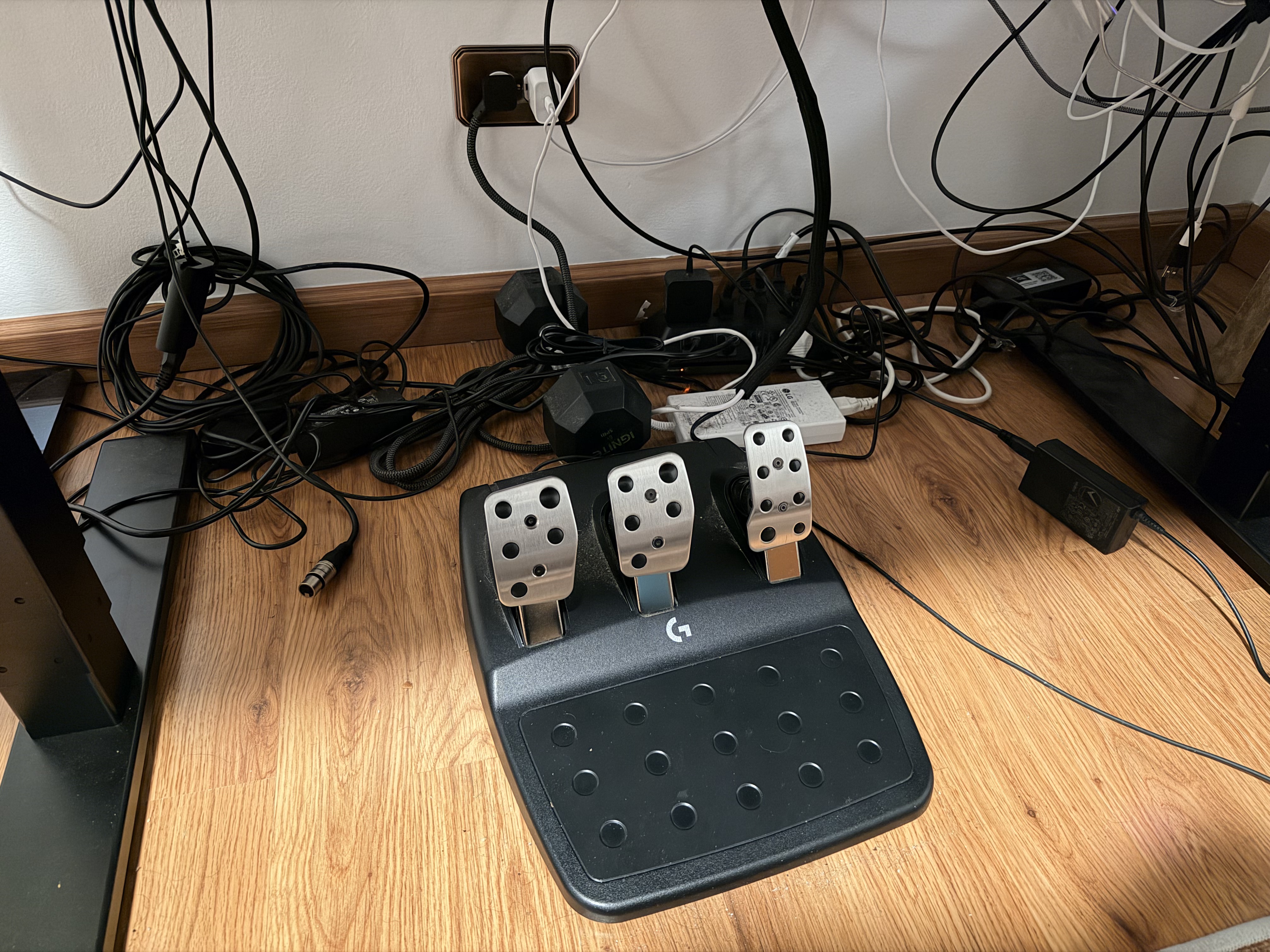
I didn't go crazy. So my cable management, as long as I can remember, I've wanted to get my cable management under control. And I never did. It was a disaster. I'll share a screenshot. It'll be the chapter art. It'll be horrible. You'll be shocked. And I finally, for the first time in my adult life, cleaned up my cables. Now, to be clear, they are still ugly. You just can't see them, which I think is the way it goes.
So just effectively, since I have a standing desk, which makes all of this harder. I feel like this is the thing that makes things hard. Also, I was getting new things, and so making it hard to move cables when I get a new thing was challenging. But I feel like going into 2026, I'm at a very stable place. My monitor's fine. My computers are fine. All the accessories are working together. I should be okay for a while. Famous last words, but I think I'll be okay for a while.

So I figured out the cable management. I unplugged everything. I cleared off the entire desk. The one thing you two don't know about yet is, and let me grab it real quick. I had what was unfairly claimed to be a big gamer stand for my display. It's truly quite elegant, and you're both wrong. But I did go by the, I just got the Ikea display arm thing and put it up.
And now my enormous 32-inch display is sitting on that. It's cleared up space. Ikea make a laptop, like, sorry, a display arm? They do. Okay. Interesting. It's not very expensive. I didn't know that. It's not super fancy, but I just need my display to sit in the middle of the air, and this does it, so. I'm noticing a lack of images in our show notes, though. Yeah, there is a lack of images. I will get those together. But yeah, so monitor arm for the display to clear up a little bit of space underneath.
That also made it so my camera can be centered behind the display. So I used to have to sit like, when I was working, I would be sitting like over here for video people. I would be off like a foot to the side. And then every single comfort zone episode, every single comfort zone episode I've recorded from the desk, I have been standing looking at the left most corner of the display. and everything else is far off to the right because I've not been centered but now I'm centered and that's nice uh no one will notice but I I like it um and then yeah I I got a little some minimal
cable management stuff a little basket to put like the charging or the bricks on the charging cables um I got to use some duct tape not not duct tape packing tape to just tape things together it's not super elegant but it is all kind of affixed to the bottom of the desk and I just have like I have two cables coming down from the desk to the floor so I mounted the cable or the surge protectors to the bottom of the desk as well so
yeah the lack of images of this and Matt's history do we believe that he actually did this I mean I can't see it Can you see it? He did send a photo, right? I did show a work in progress image. Yeah. So my complications, the things that make this exceptionally hard for me is the two-computer lifestyle where I have a Mac and a Windows computer, and the extra detail is the racing wheel and pedals, which are yet another big, chunky device.
So I'm never going to be as clean as the ideal Mac person setup, but it's pretty good right now. And I can raise and lower the desk and nothing gets unplugged. The HDMI cable is, I was able to maneuver my computer, which is hooked up via my Windows computer, which is hooked up via HDMI. It is, if I move this monitor an inch, it's going to come unplugged when I go to the top. So you got to be very careful. Oh, God. Yeah, that's fine. No big deal. You know you can get longer HDMI cables, right?
But then I'd have to figure out where to put it. It's a whole thing. It's a whole thing. If you had images, you would be so proud of me, but you'll have to see them later and be proud of me later. I believe him. Oh, I found the work in progress image. Yeah, there you go. Oh, okay. I see. I kind of see the monitor arm in the back. let me reply to it in the group chat so chris can see all right yeah oh okay all right i guess we're i guess we're believing matt hmm i guess i so i'm so i'm still stuck on the monday on the
monitor arm i'm i'm surprised that ikea makes this first and also it's it's 40 euros that's pretty good. Hey, Niléane, look at the bottom right corner of the image. His gaming PC is on a stool. It is on a stool. Otherwise the HDMI cable won't reach. I did not notice that. This is funny. Also, it's easier to just reach from, I don't have to like reach down to turn it on. The power button is on top. It's on a stool. It's on a stool.
That's funny. It's cute. So no 3D printing? Oh, there's two 3D prints. One 3D print I talked about in the first episode. When I first talked about the printer, it's a little slot for my laptop to go in, which is perfectly sized for my laptop, which is great. And then I also printed a little slide-out drawer that holds my old AirPods case. I actually have a few screws in here, which is what I use to screw in all of the things.
So yeah, just a little drawer. This one I also had to flex my 3D printing muscle and try to figure out how that works. It was too big for the A1 Mini. So the print bed on mine is too small for it. But if I made it 85% scale, it would work. But then the screw holes were too small. So I had to shrink it and then increase the size of the screw holes. That took more time than I am willing to admit. But yeah, the little customization there. Because mine's bigger than Matt's, it works. No, no. Yep, because mine's bigger.
Mine's bigger Just let everyone know Mine's bigger than Matt's Oh boy Anyway I won the challenge Thank you for coming to my TED Talk No way There's not even photo proof I clearly win I clearly win I did the most 3D prints For this challenge This is one in just absolute numbers Yep In terms of 3D prints Chris wins Yep, yep, that's it. All right, well, let's move on.
Matt, it is your turn to issue a challenge. What do you got for us? Ooh. It is my turn to do a challenge. Which means he forgot and did not have one ready. No, I have updated the document to show new challenge, Matt. I very clearly know it's my challenge. Oh, okay. My challenge is not going to be anything around finding a color icon. I thought about it, though. It's a classic. That is a classic. Everybody loves it.
My challenge, you do not have to buy it. What I would like us to do, though, is to bring your favorite MagSafe accessory in the entire world. That is good. If you own it, lovely. If you don't, maybe get it. If it's too expensive, just give us a link. Yes. The MagSafe fan. I bet I could 3D print that fan now. Interesting.
You could. Maybe I might 3D print one. There you go. I'm actually literally looking at a 3D printed MagSafe fan. Those heat sinks on the edge are not plastic. That's true. The biggest enemy of the basic PLA is heat, so that might be a problem. Anyway, the best MagSafe accessory you can find. That's it. Could be anything. Okay. All right. Cool. I like this. All right. This is a good challenge. I have some ideas. All right.
But that brings us to the end of the show. And I have an end of the show question for you two. We all kind of took a little bit of a break for the holidays. We took a week off for recording and stuff like that. I want to know. What did you do? What did you do with your time off? All right. So for Christmas, I had some friends over and we ate snails. Escargot, of course. I sent you a pic of that because I thought the Americans will be shocked I was, I showed it to Danielle
What did Danielle think? No, she does not We still have some leftovers in the freezer We're good For real, I'm actually going to eat some tonight just because they need to be eaten Okay, what do they taste like? Honestly, I'm never going to eat them What do they taste like? They taste really good, is what I'm saying. How do you cook them? How do you cook them? So you can either buy them pre-cooked or you buy them. So we bought them pre-cooked because we're not great cooks.
And basically it's the shells and there's the meat inside, of course. The animal is inside the shell. So, and it has like, oh my God, it's too much English that I don't have. Parsley and garlic.
So, it's a bunch of parsley and garlic and you can add other spices and butter as well. and it tastes really good. It's really tasty. Okay. All right. You can't even tell it's a snail. The snail part is fun because you get to take out your... There is a specific piece of cutlery for snails. It's basically a big...
Okay. Google translate. Google translate. Pince à escargot. Snail. That's not... Snail tongue, snail clip, whatever. So it's a metal thing that you can pick up the snail with. Oh, okay. You have like kind of like what Zeus has. A skewer? Or a trident? A fork? A tiny trident.
A fork. Very tiny, thin trident that you can put inside a snail and pick it out. and eat it one at a time. That's it. So much English work. Oh, my God. Yeah. Wow. Okay. You speak English so fluently. It is strange when you're like, oh, no, what's the word? It's so rare. Yeah. Oh, yeah. Thank you. That's a compliment. So I saw family, friends, watched Avatar, ate ham.
It was great. what I also did, and I'm still doing because I'm still on vacation, is I took one of the apps I was working on, I completely threw it out because I was just so frustrated with decisions I made eight months ago and still haven't shipped the stupid app. I just started over, and I already have a better version of the app after like three days. So I'm very happy. This is a quick note. No, this is, if you made it to this far in the pod, you can hear. It's basically my podcast chapter app.
So this is effectively the spiritual successor to Marco Aramon's forecast. So basically a newer version of that built from liquid glass from the ground up minimal glass. But yeah. So I got it 90% of the way there and the last 10% was driving me crazy for like 6 months. And I just started over. And it took me 3 days to get to a better place. So a lot of wasted work. It's been 84 years. It's been 84 years. Well, for me, other than 3D printing stuff, I played the Pokemon ZA DLC.
I've been playing that a bunch. It's fine. It's whatever. But I also, for Christmas, Danielle got me the LEGO Enterprise, and I've been working on that. Oh, yes. That's right. It's huge, isn't it? I have no idea. I'm not very far, but from what I can tell, it's pretty big. We literally have a spot that I think it's going to go in our living room. We have so many Legos.
It's kind of weird. We need to do something. It's both of our hobbies, and that adds up really quickly. You need a Lego room. We need a Lego house. But this is literally a conversation I've had with my wife. Yeah. It's the same. It's a conversation. Danielle and I have like literally talked about, okay, like after we get married, probably in the next five years or so, we're going to move to Fresno. So the town I'm from. And we're like, okay, what do we want in a house? And there's like a few things like I want a bigger office or maybe like the ability to put like one of those like
mother-in-law suites out in the backyard or something like that and have like a dedicated office. She wants a big bathtub. But the other thing we both agree on, we want a Lego room. That's a good plan. Yeah. So that's a good place to wrap up. Thank you all so much for listening. Have a great day. Big thank you to MacStories for having us. We are a MacStories podcast. So go check out all the other shows and writings and stuff on the website. There's a lot of good stuff happening there. Thank you all so much for listening. Have a great day. Bye-bye.