Shake the Keyboard and It Goes Away

Now playing
Shake the Keyboard and It Goes Away
Show Notes
Chris brings some new apps, Matt defends himself for another hardware purchase, and Niléane's no-dock challenge has brutal results. Then Matt and Niléane really let Chris down with his end-of-show question. Like really, really let down.
Today's episode is sponsored by Inoreader.
How would you have done our challenges? How would you answer the question at the end of the show? Let us know!
Main Topics Other Things Discussed- Calendar 366 2
- SwitchGlass
- uBar
- Sidebar
- Setapp
- Citroen Ami
- Fiat 500e
- 1967 Ford Mustang (Elanor))
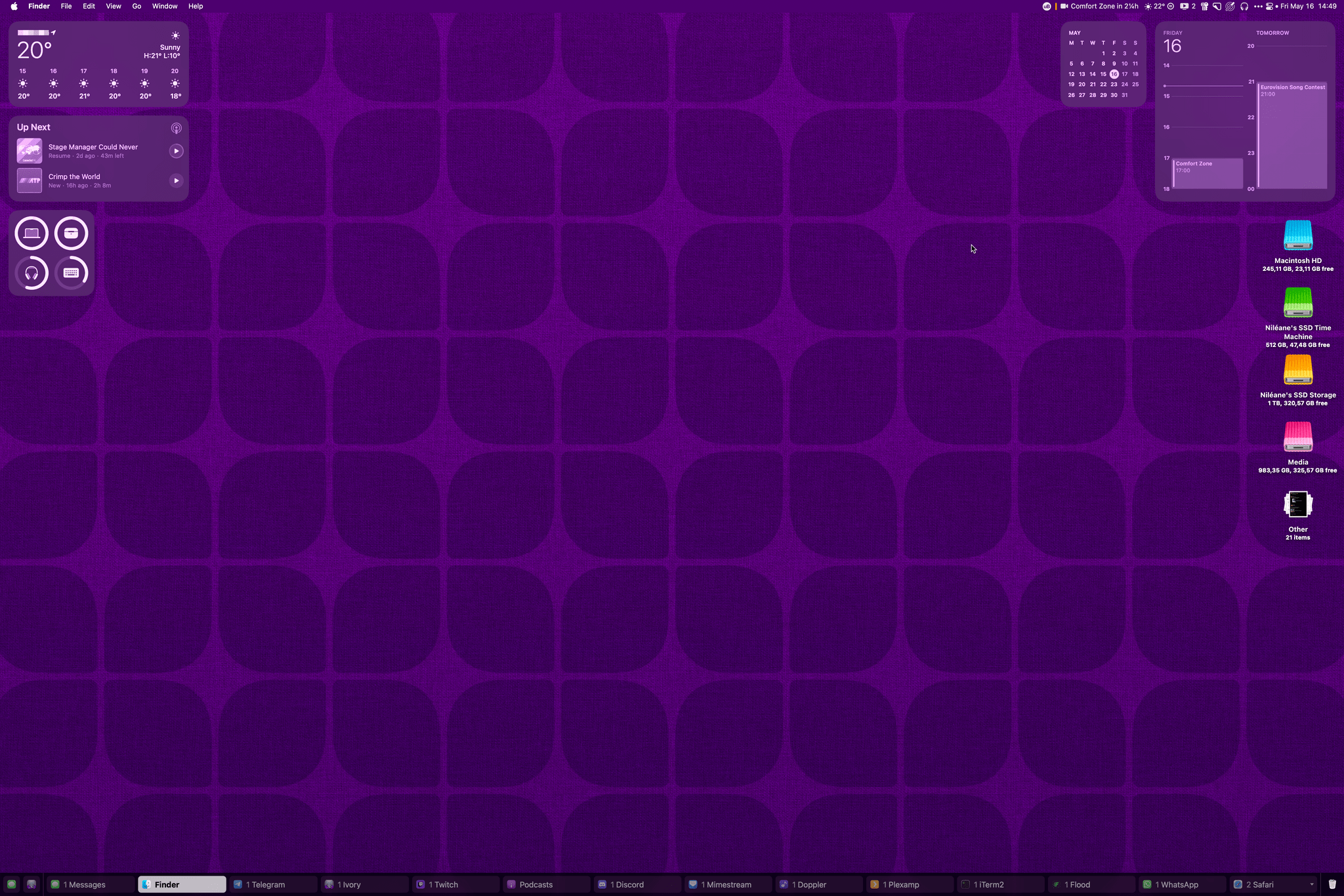
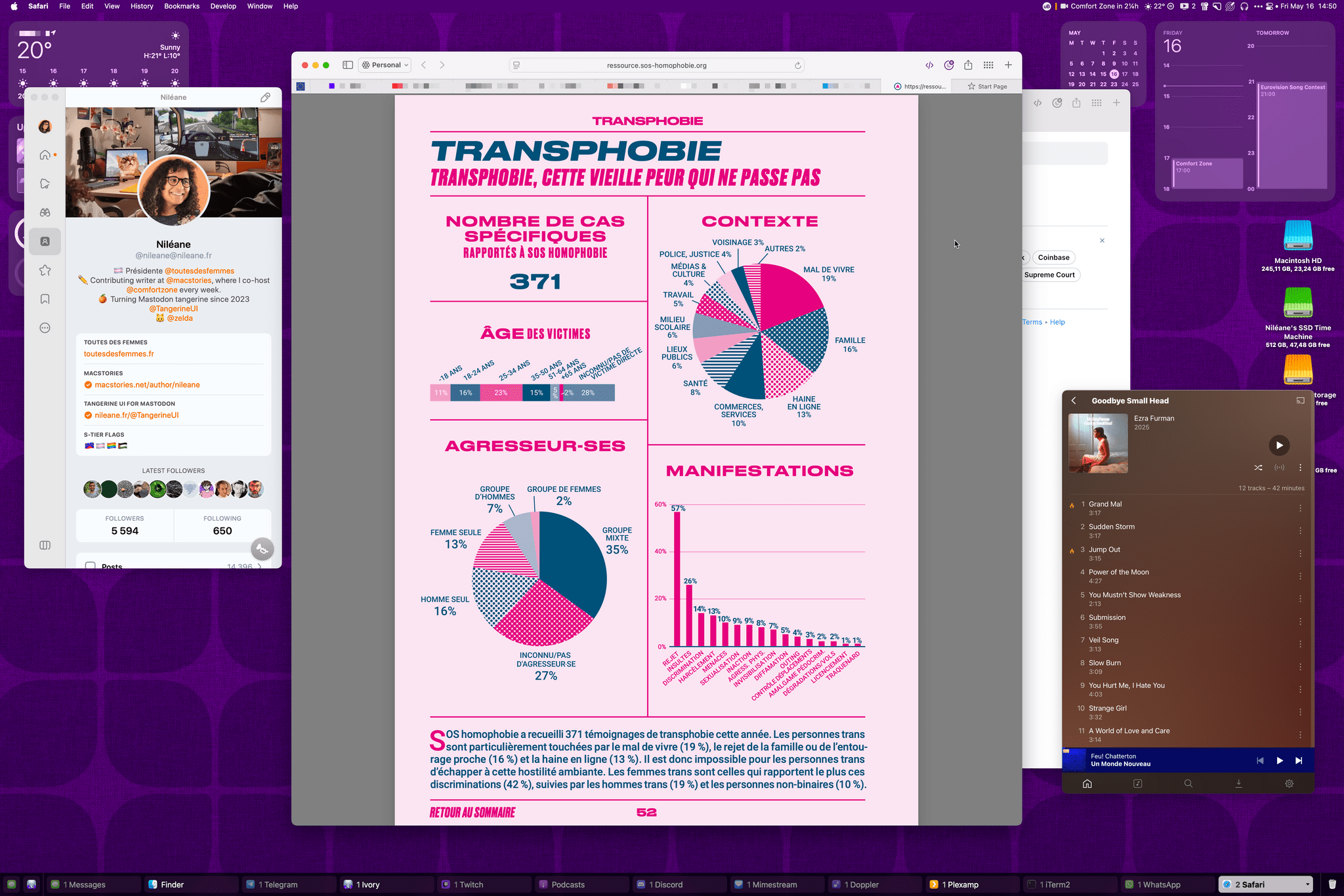
- Nileane's uBar setup: screen 1 and screen 2
- Matt's uBar setup

Transcript
1087 segmentsWelcome to Comfort Zone, a podcast all about pushing your hosts, well, outside of their comfort zone. I'm Christopher Lawley, and each week I am joined by two incredible co-hosts, and this week we are sponsored by In Our Reader. As always, I am joined by Matt Birchler. Matt, how are you doing? I'm doing great, Chris. Good, good, good, good. And we are also joined by Niléane. Niléane, how are you doing? I'm doing great for three reasons, which I will detail shortly.
Okay. Well, I say we just get straight into the tiny topics. Perfect. What do you got for us? First reason why I'm doing well. It's been a recurring topic. There's a bug in my course, which makes it so the messages app keeps quitting itself quietly in the background for me. And I'm not the only one. And some people are having this issue with other apps as well. It turns out that this was a known bug to tap bots.
The developers of Ivory on macOS have linked to a post they've made in response to somebody reporting this bug. And they said it's due to the latest macOS update, which is closing Catalyst apps in the background for some reason. We still have no idea why it's happening, but hoping Apple will fix the issue. So, so far, there's nothing for me to be feeling well about.
However, this week, as we're recording, and last week for you in the future listening to this, macOS Sequoia 15.5 came out, and I'm pretty sure the bug is gone. Ooh, okay. I have not seen it happen ever since I updated to this new version. So I'm feeling well about this. Good, good, good, good. Apple squashed a bug. That's fantastic.
And I will say that I take credit for it. You should. You should. This is Comfort Zone's influence. Yeah. Hitting the mainstream. I think we established last week that both Tim and Phil listened, or maybe it was Tim and Craig, But I'm assuming they heard it straight from you and they, you know, phoned the engineers and were like, fix this now. Niléane is, this is disrupting Niléane's workflow. Unacceptable. Exactly. Yep. That's how that conversation went word for word.
Are you ready for the second reason why I'm feeling well today? Yeah, bring it on. That is, I updated something about my desk setup, which is that I came back to the magic keyboard. Gone is the Logitech MX Keys Mini. Why? Well, it was great. But why? Because it's buggy. There was a problem with the backlight, which kept turning itself on during the night.
And like sporadically, with no obvious reasons, I googled it and some people on Reddit are saying, shake the keyboard and it goes away. It's like, okay. I mean, did you try it? Yes, I did. Yes. Okay, that's what I was going to ask. Picture me just shaking the keyboard, hoping that the problem goes away. And some people, like, people are dead serious saying this, like, shake the keyboard, it goes away. I don't know.
Whoever started that rumor absolutely knows this isn't true and just wanted to get a bunch of people to shake their keyboards. That's absolutely what this is. And well done, I will say to them. Anyway, I was not feeling like debugging this. So I took out the magic keyboard from the drawer and I'm using it again. And it's great. It's great to be back home. There you go. Third reason why I am feeling well today. As we're recording, we are on the eve of the Eurovision grand finale.
Finale? Yeah. Final. Finale. Grand finale. Yeah, I will say. The Eurovision Song Contest 2025 is tomorrow. It's a song contest. Okay. I have no idea what Eurovision is. Yes. And all I know is a competition and America is not in it to win it. So, you know. You're not allowed, which is partly why it's great. Oh, man. This happens every year. It always sneaks up on me. I never know it's coming. But then even the most cynical Europeans I know are suddenly just overjoyed with Eurovision.
And they love it. It's crazy. It is the event. It's in my calendar. Later in the show, I will share screenshots as part of the challenge. And you will see on my calendar widget, it's right there. Eurovision Song Contest tomorrow. and I will be tuning in. And as you're hearing this, you already know which country won and I'm jealous of you people in the future. But I can't wait. Okay. And Chris off the air was telling me he doesn't know what Eurovision is and I will not respond to the provocation.
This is your problem, not mine. Well, I'm assuming America is barred from it, not because it's, you know, countries in Europe, but because you all are afraid of us and you know we'll win it. Because, you know. I mean, Australia is in it. Oh, so they're not in Europe. They're their own continent. They are the only country that is their own continent. They can have Australia vision or something. I don't know. No one knows why. That's probably just a bunch of crocodiles trying to eat you or something. Crocodiles and kangaroos.
That whole continent is just like one big place of like. Oh, my God. I mean, it's literally the Thunderdome. It's just trying to kill you. Yeah, no one knows why they are in Eurovision, but they are, and they keep coming back. Okay, I want to know everything about that. Do they do well? Sometimes, I think. Okay, okay. But there's a rule where the winning country has to organize the Eurovision some context the year after. And I believe there's an exception rule for them.
Like if Australia ever wins, it's not going to be in Australia because time zones, it will just ruin the show for the whole of Europe. Oh, trust me, Matt and I understand time zones. We are both big Formula One fans and I'm getting up at 6 a.m. or no, 5 a.m. on Sunday. So thanks, Europe. You're welcome. That's not even that bad. The Australian Grand Prix is. Oh, God. For you, that one's bad. That one's I just stay up to like 10 p.m.
And like, okay, whatever. That's right. Yeah. There are some that are like at midnight. The one that always gets me is the Chinese Grand Prix. Because it's like at midnight or 1 a.m. Or something like that my time. And that one's rough. That one is a hard. That one I usually just watch in the morning. But anyways, we have an actual show we need to get to. That's not about time or time zones or countries. You guys want to get into the main topics? let's do it all right well i am first up in the document and despite the fact that i teased uh i have the smaller ipad pro last week i'm not going to talk about it because i'm i'm literally making
a video on it right now and i was like well everything that's in the video would just be the topic so i'm not going to just rehash it for you all so i'm going to talk about something else uh i have been using both todoist and busy cow uh lately uh and i have thoughts on them i know right I have thoughts on productivity software. Who would have thunk? Oh, boy. Impossible. I am really liking Todoist. I haven't used Todoist in years, like probably more than five years, probably closer to like six or seven, maybe even more.
But it's come a long way. Design-wise, it's still very much the same, which is kind of a little disappointing to see. I thought it would kind of come up a little more. The design isn't necessarily bad, but it's not amazing. It's not like things level or fantastical or something like that. It's just, it's fine. I will say it feels a lot more professional than reminders. Reminders to me kind of feels like a task manager light.
And it's all that SF rounded font. Like the colored SF rounded font just makes it feel Fisher Price to me. And I just don't like it. Plus, like, things with Reminders, like, it takes a lot of tapping around or clicking around to add metadata. And don't even get me started on how Reminders handles subtasks and things like that. Like, it's that whole, like, if you try and use any of the power user features in Reminders, that's where you really start to feel the rough edges.
Yeah, if you love to tap, then Reminders is a great, great app for you. But yeah, it's frustrating because it does like natural language parsing, but only a little bit and only sometimes. And it's hard to tell. And it's buggy. Yeah. Like there has definitely been cases. And I know Federico went on about it for a while ago. Like he was getting it really bad. But like I would get it occasionally too where I would say like do this task at Sunday at 2 p.m. And like the natural language option would be Thursday at 8 a.m.
And it's like, how do you get that? But Todoist has a lot of features that I really wanted reminders to have. And a couple of features things had, but it goes beyond that. So it has all the stuff that I, it is the, let me back up. It is the only task manager that has all the features. When I kind of make my wishlist of task manager features, it is the only one that has everything. So first thing is it has deadline support. And from what I understand, this is fairly new.
So basically what this is, is you can set your traditional start date for when you start working on a task. But then you can say like, hey, this task isn't due for another three days. So for me, a lot of video projects, I don't get done in a single day. So using like the deadlines feature, I can say like, I'm going to start on this on Monday, but I'm going to finish it on Wednesday. And it's just kind of a nice way for me to be able to lay things out. Another thing is Kanban board. I love this as a part of reminders. This is how I track video projects, shorts, sponsorships.
Basically, I just have different stages for everything's in, so that way I can quickly glance at it. And it's really nice to just be able to see it and see where the state of everything. And Todoist is really great about giving you a field to add a bunch of notes. So I can say like, hey, this video is sponsored by this person. Here are some notes for it. or there's link support, or best part, file support. So I can attach, if a sponsor sends me a PDF document that's like, hey, here's the talking points for the sponsor read,
I can go in there and just attach that PDF to the task, and it's all right there. It's so nice. I love that about this. There's also a calendar view support, so you can see all of your tasks in daily, weekly, and monthly. view, I believe. Excuse me, my voice is kind of cracking today. I don't know what's going on here. It's because you hate Eurovision. Sure. Take a drink here.
One second. I mean, you cannot sing. The official sponsor. Yeah, no, I really can't sing. Yeah. Sorry, my voice. Woo. But the calendar view, while it has it, it only supports Google Calendar. So I'm really glad I made that switch from iCloud Calendar to Google Calendar a month or so ago. Because that has just been so much better for me. And being able to integrate with different apps and services and the terminal, which was the whole reason why I did it.
Really, really glad I made that switch. On the Mac, one thing that it has is a global task entry or quick entry feature. I mapped this to HyperKey T. Things also has this. I'm very surprised Reminders doesn't have this, but also I guess I'm not because, eh, yeah. But this is just really nice for when things come up. I just hit HyperKey T, type things out. Todoist has natural language support and really good natural language support.
So I can just sit there, type out the task, type out when it's due, hit the pound sign and type out what projects it's under. Like very, very good support for natural language. And with the quick entry thing, I don't have to jump back to the app, which probably is in a different space than what I'm in. So like I'm not having to jump around. I just hit that hyper key to type it in. It does its thing and I move on. Really nice. Now, the iOS app isn't the best. If I was still like iPad and iPhone first, I don't think I would make this jump because it doesn't like there like the iOS app is kind of laid out very weirdly.
Like the main page is the today view, but then there's like different tabs at the bottom. You got to jump around to get to different stuff. It's not that bad if you're just like quickly referencing stuff. But if you live out of your task manager and like the primary way you do that is on your phone, I could see this layout kind of getting annoying. maybe it's okay for some people but since I'm a Mac boy now the Mac app is really good and it's an Electron app but it's a very good Electron app a good Electron app that's not possible I know how much you hate Electron apps
and how much you're always ranting about like I'll never install them and everything should just be native Mac apps and native APIs and rah rah rah that's my Matt Birchler impression That captures my essence, I think. Yeah, I think that is Matt Birchler. He's never talked positively about Electron apps or, like, any apps that can be used on multiple platforms ever. Yeah, I hate multi-platform apps. Yeah, yeah. And I'm going to remember that in, like, the next 10 minutes, like, how much you hate, like, different platforms and things like that, you know.
Okay. But the one weird thing is the Mac app doesn't have any shortcuts actions. The iPhone and iPad app does, but the Mac app doesn't have any shortcut actions. So to automate anything in Todoist, I've had to use their API, which isn't the end of the world. But that makes it a lot harder for me to share shortcuts because now I have to explain to people what an API is, where to go get your API key, things like that.
It makes it a lot harder to do that stuff, which basically makes it like I'm like, well, I don't even know if I want to do that. I will say Federico for the club wrote an article literally like a whole thing about building shortcuts using the Todoist API I want to say like a month or so ago maybe it was a little bit longer than that but it's in the club it's really good when I switched over to Todoist I had that bookmarked I just glanced over and I was like okay I get this and I've been building a few shortcuts for myself nothing I can really share because it's like very specific
to my projects but yeah it would be nice if the mac version even if it just had basic shortcuts like create task create project like even if it was the basic stuff that would be nice i don't know why they bothered to do it for ios and the ipad but not the mac that's a little weird i wonder if it's a completely different app i wonder if there's like it's not a shared code base i mean it's it's very clearly an electron app on the ipad okay i don't think it's a native app or anything like that but overall
i'm really liking to do list uh i kind of did this as an experiment and i wasn't sure if i was going to really switch away from reminders but it has everything i want the mac app is solid other than there's no shortcut actions but i can work around that uh with the api so i think i'm sticking with Todoist. I'm really liking it. I'm really enjoying it. It's not the most expensive app in the world, but if I live out of my task manager, I do project manage everything out of it from videos to home improvement projects to taking out the trash to reminding me to wash the car,
things like that so yeah i i use my task manager for quite a bit so i i've been really happy with it have either of you used to do us lately i have and i went back to things so my question to you was actually going to be let's do some predictions oh okay our last episode of 2025 whatever date that is the week before Christmas or something, will you still be using Todoist or will you be using a different task manager? Definitely not.
That is a dangerous, dangerous bet. You know what's happening? There will be WWDC, Chris will install the beta, there will be new features and reminders, and with a new design, maybe the rounded font is gone, imagine that. Maybe they make it easier to add metadata. Yeah. A bunch of AI in there.
If Reminders gets the ability to add deadlines, that was a big thing I was missing, and the ability to attach PDF documents to a task. And technically, there is a workaround to attach PDF documents to a Reminders task that you have to take the PDF document from files or mail or whatever, and then drag it into Reminders, and it creates the task. I just don't like doing it that way. I'm like, okay, so the system's there for doing it. It supports it. Just add the button for me to attach a file.
There is the ability to add an image, but it doesn't support PDFs. So if Reminders got that, plus the fact that I always do my big walkthrough, and I like to try and use as much native apps as possible during the summer, So I'm, you know, finding all the little cool stuff that they've added to the native apps. I could see there being a stint of me doing reminders and then maybe going back to Todoist. But I don't know. We'll see. But right now, you know, what is it?
May 16th, 2025. I'm really, really happy with Todoist. Like, really happy with it. The only thing, if I could ask them to do something, is just implement basic shortcut actions for the Mac. You don't even have to go wild, but just basic shortcut actions for the Mac. Okay. All right. I will monitor this closely for the next six months. You're on watch Lawley. Oh, who watches the Lawley? Matt, Matt, that guy.
Okay. So the other app I've been using is BusyCal. My Fantastic Cal subscription was up at the very end of April. So I was like, well, I don't want to renew it. It's a lot of money. I don't use my calendar that much, especially now since Todoist has support for loading up your Google Calendar. It doesn't have, you know, support for all the features that a standalone calendar app would have. Like, I still need a calendar app, but, like, I can view my calendar appointments and stuff right in Todoist, if need be.
So I'm trying BusyCal, and Matt, I believe you brought this to the show a long while ago. I did. I think you mentioned it. I don't think it was a topic, but I think you brought it to the, you just mentioned you were using it. Yeah, I don't, I don't know how much I talked about it, but yeah, I did. Well, I did switch to it after my Fantastic All subscription lapsed, but I'm actually using a different calendar today, but I will not steal the thunder. Ooh, okay. Well, I want to hear, we can get maybe at the end of the topic, you know, tease the people, make them listen to me, and then they can get the stuff that they want.
Matt's calendar app. So, Busy Cow, I tried Busy Cow because I heard you talk about it. I think, was it Jonathan wrote about it for the club? And then I know John was also using it too. And I have never used Busy Cow on the Mac. Busy Cow on the iPhone and iPad is very different from Busy Cow on the Mac. The Mac is a, you can very clearly tell the Mac is their main focus and like we'll have an iPhone and iPad app because we have to kind of thing.
It doesn't, it definitely doesn't feel as full featured on the iPhone. Or maybe not full featured is the right word, but it doesn't feel as nice as it does on the Mac. What's nice is you can sign into Todoist. So like in Todoist, I can see my calendar appointments. Well, in BusyCal, I can see my task stuff. So I can see like, oh, hey, I need to take care of this thing at 2 p.m. today. Okay, so don't schedule that meeting for 2 p.m. as well. So that's kind of nice.
I like that feature. It does have a menu bar calendar app. You guys know how much I love my menu bar apps and especially menu bar calendar app. I was using calendar 3662 previously, but I've switched this over. So HyperKey C opens the BusyCal calendar app right now, which is nice. I like it. I think it's a very good menu bar app. It works very similar to Calendar 366. And what is nice is if you sign into Todoist, your tasks are there too.
And all of your tasks are there. So that's a really nice feature. So I can just literally hit HyperKey C and see everything I need to get done on that day. Really nice feature. It does have support for natural language input. I do not want to use a calendar app that does not have natural language input. Looking at you, Apple Calendar's app, yes, I know you sort of have it, but you don't have a very good implementation of it. You need to support more. But I don't like the design.
I don't like the design of BusyCal. It feels old. And it doesn't feel as smooth. I don't like the icon. Yeah. The icon I can get past. But, like, when I'm in the app, it just feels like a very – I don't even know how to put it. It just feels like an app that, like, it needs a UI redesign. It just feels like it's time for that.
So, I've been using that, and I like it. But, man, I'm having a hard time getting past the design of it. So I had a thought literally yesterday, I think it was. I wonder what the free version of Fantastical is like. I think when Fantastical went to a subscription model, I just automatically upgraded because I was like, I love this app. I'll keep up. I'll upgrade it. You know, at the time, it wasn't that much. They've raised their price a couple of times now. So I was like, yeah.
I was like, let's see what the free version is like. So far, and literally I've just been using it for 24 hours, so I wouldn't take this as like, it's fine. But the only thing I seem to be missing right now that the free version doesn't support is calendar sets, which is a thing I use specifically for when I'm filming and tied to my filming focus so that it hides my secrets calendar so that way I don't accidentally leak embargoes and stuff like that. So overall, I'm like, okay, Fantastical's working.
There is an annoying thing about it that it constantly reminds you it uses the free version. And it's given me a couple of pop-ups of like, well, why don't you upgrade to the paid version? You get all this stuff. And I'm like, I don't want to try the paid version. I want to try the free version for a while. And so for the last day, it's been mostly fine. But I could see me getting to a point where if that pop-up keeps continuing at the same rate, I'm hoping it's just like, oh, you just installed it, so we're going to throw it in your face a few times to get you to do it.
I'm hoping that pop-up, you know, that rate slows down. If it doesn't, I could see me getting frustrated and deleting it because of that. But I don't feel like the pro features of Fantastical are for me, and I'm just like, I don't need this. Like, I don't need these features. So I'm going to just see if I can get away with the free version of it. But I am kind of running Busy Cal and Fantastic Cal side by side right now. Okay. Interesting. Yeah.
Yeah. When I made the switch, I think my feeling was I like Fantastic Cal more, but Busy Cal is cheaper. Yeah. And close enough. Especially because it's a part of setup. Like if you're already paying for setup, it's just right there. Oh, yeah. Fantastic Cal? uh busy cow oh yeah okay is it weird that i've never ever ever subscribed to set app yes it is really yeah i don't like i've been like getting some mac app videos ready and i'm like
setup is the way to go because i'm not having to spend you know i'm not having to buy a bunch of licenses or sign up for a bunch of different subscriptions uh there's so many apps there like you can there's a seven day free trial and when they sponsored me in the past because disclosure they have sponsored me in the past you didn't have to use a credit card i don't know if that's still the case or not so you can just download it and check it out for seven days browse the library install whatever apps you want and just see if it's worth it to you i think i just feel better
buying things. Yeah, why do I feel better about that as well? I don't know. I tend not to buy things on the Mac App Store either. On my Mac, I just kind of like things to be... I get that. I think for me it's a, like, I cover a lot of different apps. I'm constantly trying different apps. This is a cheaper way of covering a lot of Mac apps are on there. Like, a lot of big Mac apps are there. Yeah, maybe I'll check it out. I think technically I have an affiliate link that I just never use on my videos. Okay. So Chris, you said something
that, oh, it made me jealous. You said, I don't really live in my calendar. Yeah. And oh, buddy. So I would like you to guess, I just counted them up. How many meetings do you think I was in this week this this whole week okay this whole last five days i'm gonna say 15. neil and you have a guess 25 the number is 41 my friends what oh my gosh okay so i mean i had i used to have a day job where i lived out of my calendar and that was i think that was literally when fantastical went to
subscription and i had no problem paying for it because of that this is the thing right is like yes don't care about your calendar that much and it's just to tell you when Eurovision is for example um I mean literally before I had like the the job like at the company I have now like my calendar was I didn't care at all right like it really really was like oh it would be nice to put something in there um but yeah once you live in it you're like I will pay anything for just a good experience
so would you like to take a guess at how many meetings i had this week are you counting this one we're in now i i i i say yes i'm gonna count comfort zone as a meeting because we schedule it and you know there's people and we meet and stuff like that we just record it unlike my other meetings so these would be meetings with other people not just like time blocks you've done for yourself yeah yeah yeah no they're they're actual meetings that i like calls or gone someplace three four Niléane is, well, technically you both are right.
Perfect. Niléane's right for meetings. If we count a doctor's appointment, which I don't know if you count a doctor's appointment as a meeting, then Matt would be right. Okay. No, I wouldn't. Niléane is right then. Yes. Dang it, I would. Why did I say that? And you know what? That's a busy week for me. No. Unless it's iPad, or not iPad, Apple product briefing week, like, you know, those weeks. Or even after events and stuff where Apple announces a bunch of products, you know, I'll sometimes have, like, three or four different briefings
or something like that. Those are probably my business meeting weeks. Yeah. Want to guess mine? I want to go. Ooh. I'm going to say six. I'm going to say ten. What? Okay. Okay, there's only one in my calendar. Oh, no. But I'm pretty sure I do not write half of them down usually. Wait, you don't write your meetings down in your calendar?
You just remember them? Task management, the calendar are all up here. Is it on a note? I only have events. It's not, yeah. Some of them are on my sidekick note in front of me. i i only have calendar events if there's a link that you know i have to get to click through a google meet link then i will have an event for sure otherwise if it's a phone call or whatever i write it down and usually it's not something i have to do at the precise time so get to it someday and then i do whenever you talk about like your task or product or calendar system or anything
I get massive anxiety for you. Like, I don't like, like, I'm like, what if she forgets like a meet, like an important meeting or something like that? But I will not that. Yeah. I don't know. She's risen to the top. El Presidente. Ah, she's got people for that now. Oh, all right. If something is important, I will just think about it constantly and it's ruining my life as well. Oh, that's the other strategy. Yeah. That's true. That's true. You know, I've subscribed to that methodology before.
It's not ideal, but it works. It works. All right. Well, that kind of does it for my topic. Just a couple of apps I've been using. I'm, for the most part, pretty happy with them. But I'm kind of curious how this free Fantastico test is going to go. I will follow up next week with that just because I feel like a solid week with it should be kind of a good test. This episode of Comfort Zone is brought to you by InnoReader. InnoReader is a powerful RSS reader and content aggregator designed to help you stay ahead and in control of the information you consume online.
The new InnoReader intelligence introduces AI-powered tools that help make it faster and easier to process large volumes of content. With article summaries, you can get quick overviews of articles, explore specific aspects, or ask your own questions all within InnoReader. You can adjust the style and language of summaries to match your workflow preferences. And once generated, these summaries are saved as fully searchable inside inner reader, making it easy to revisit key insights later. Intelligence reports lets you select multiple articles and instantly generate bulk summaries, comparisons, or even sentiment analyses. Each
report is saved as a new article, ready to annotate, share, or export, which is ideal for researchers, teams, and professionals working with lots of information. You're also in control of how AI is applied. Use inner reader's built-in model and intelligence tokens or connect your own open API key. Save time and boost productivity while staying informed with inner reader intelligence. Try inner reader for free and explore AI powered article summaries with a pro custom or team plan. Intelligence reports are available on the new team intelligence plan as an optional add on for pro and custom plans. Learn more and get started at inner reader.com. And they're not even asking me to
talk about this but i wanted to also mention that they just rolled out a file upload feature that lets you upload pdfs word docs and even excel files and it will convert them into articles that you can consume in inner reader just like everything else you save to the service it's really cool and something i wanted to bring up because i've used it a few times since it came out and i think it's really rad so thank you to inner reader for sponsoring comfort zone and mac stories uh matt what do you got for us this week ah chris chris chris chris for yes the second week in a row i bring surprise hardware so a little backstory here before before you reveal i was telling neely on this uh uh before we started
recording before you jumped on the call uh when i pitched the show idea to matt one of the very first things he said to me he's like i love it but i will probably only be bringing free apps every single week matt go ahead and reveal what you bought what i have today is a surface pro which is quite the device and not a free app not a free app not a free app um a financial risk you
might say but why did you buy this okay i knew this was going to be this was supposed to be a matt brings a cool thing and we have a fun conversation about it but this obviously was going to turn into a defend yourself sort of oh yeah this is comfort zone so so here's the reason that i got this this is an ipad pro 11 inch a great size i think chris you I do agree now.
I, okay, so here's what happened. I was going to go on a trip the last weekend of May. I was going to fly somewhere for a weekend and then come back, as you typically do with trips. That trip was delayed, so I'm not doing it yet. I'm doing it in June now. But I was starting to get ready to pack up everything. And I want to be someone who travels with their iPad. I wish that I could just throw this in my bag because it's much smaller than my Mac.
It has touchscreen support, which is really nice for using in different environments. Really easy on a plane, for example. So you don't have to have the whole keyboard sticking out, but you can still use your bigger screen than your phone. I want to bring it along with me. But I always bring my MacBook anyway because it has all the things I want to do. For example, I take a lot of photos when I'm on trips, especially if they're personal trips.
I take them on my camera. I put them on my SD card. I throw the SD card into the Mac or I can use the dongle. No big deal. It works on the iPad too. Put them in the Lightroom. And oh no, there were some really low light photos I took that are pretty noisy. and I'd sure like to denoise them. Well, that's a Mac-only feature. So Lightroom has 90% of the things, but there's a little 10% here and there that they just don't have. It is also on Windows. Stuff like that.
There are things that come up. There is Final Cut Pro, but it's not the Final Cut Pro that I use and does all the things I want. There's DaVinci Resolve. And while that's kind of oddly close to the desktop one, especially if there's like a weird hack you can do to like expose more of the interface, it's a very strange app. It's not quite there either. Obsidian, there's some limitations with some plugins, like my plugin, for example, that I used to publish to my site doesn't work on iOS and iPadOS.
I need to figure this out. I need to fix it. But it works on Windows and Mac. So anyway, there's all these little things that just come up and the iPad doesn't do it for me. And so what I needed, what I wanted was a touch based tablet that did all the things. And a Surface did that for me. And so I was just packing up and I was just like, I'm going to bring the Mac again. I want to use my tablet. And yeah, a Windows laptop is, we'll get into some of the limitations.
It's not ideal in every way, but it does do everything that I need. I am so confused why you just don't bring your Mac instead. Like, I'm very, very, very confused. He wants touch. I do want touch. Is touch really, you need touch so much you're going to buy another device on another platform? Mm-hmm. Okay. All right. There you go. Okay. All right. This is, I'm backing up my, I have been saying a touch is an important feature and every platform should have it for years.
And this is me putting my money where my mouth is. I will pay for this feature. Okay. Okay. Okay. So, so that was the why. It was like, like travel and just like throughout the day. But the second thing that really got me was I sometimes go weeks without using my iPad. Weeks. Because it's almost never the right tool for me. If I'm doing something on the couch while we're just relaxing, my phone is great.
I do everything on my phone. I do social media on my phone. I don't even have like ivory installed on my iPad. It's all on my phone. If I'm doing anything more, I'm grabbing the Mac. So like, I feel like the iPad is this incredibly wonderful tool that just, I just don't use very often. Or like, I have to think to use it. And so, yeah, it's like in this weird middle ground where like, it isn't solving any of the needs that I have right now. This is my disclaimer, where if it solves your needs, that's incredible and lovely.
And I totally believe you that it does. This is just my, uh, my experience. So I got the Surface. They have a 60-day return window, which is awesome. Oh, that's fantastic. So I have plenty of time to change my mind if this goes south somehow. But I think even if it does go south, I would probably just trade this in for one of their cheaper ones. Because I do like having it. I have an idea for you. Do your pitch.
Okay. So the pitch is, this is a full computer. It does everything. What do you want to do? Can you do it on Windows? Then you can do it on this. It's great. It's lovely. I don't know. I hear Mac gaming is getting really, really good. Oh, boy. Well, listen, gaming on this is not good. Gaming on this is rough. It's very rough. I can play Bellatro on it. And 2D games play pretty good. But yeah.
Minecraft, probably. You could probably do Minecraft. The issue, and this is maybe a thing to get into, is this is an ARM-based processor. This is the Snapdragon X, and I have the Plus, not the Elite. So save some money there. That's good. From what I've heard, actually, the performance is basically the same between them in most things you do. Windows has emulation now. So similar to the Rosetta thing that macOS does where Intel apps will still run and like often you can't even tell because like they just work fine.
You can tell on Windows. You can definitely tell. Everything runs. But as soon as an app does anything more than just like render text, you start to run into issues. So, for example, I have one benchmark that I recorded for this that I have linked in our internal notes. And it was basically taking a recording, a three-minute recording I made of myself playing Doom of the Dark Ages, which is an awesome game, highly recommended.
I'm so excited to get into that. And I took that three-minute 4K 60 FPS clip, I put it in DaVinci Resolve, and I just exported it. no crazy effects or anything just export this video into an h.264 video uh and i did it across my macbook pro my work m1 macbook pro the ipad pro with an m4 and this and long story short this is half as quick as exporting video for example this is using the arm version of da vinci resolve which DaVinci has helpfully created.
And then Chris, this will resonate with you. When you're editing a video, you probably want the scrubber to be smooth and you want to be able to play back in real time, right? 4K 60 even, that should play back in real time. Yeah, absolutely. So that works great on the ARM version. I didn't realize they had an ARM version at first, so I installed the Intel version that had to be emulated. In that case, when I hit play just in the timeline, It played back at three FPS. That's like the old school days of Final Cut when you had to use proxies because you had spinning hard drives and stuff like that.
Yeah, and this file was in the downloads folder. It was just right there. Rough. So there's a massive, massive performance difference. I haven't done, like, serious tests on this, but yeah. But yeah, in terms of performance, I've seen Microsoft said they outperform the M3 MacBook Air in some tests. So this is the Surface that Microsoft is currently advertising that's faster than Apple's Macs. This is the latest Surface Pro using the not highest end processor.
So there's the Elite. I'm using the Plus. Did you see, I think it was the other, like it was just like a couple of days ago that it came out, but they're like doing a whole ad campaign about how this is faster than the Mac now. And so, yeah, so I saw that, and that's kind of what made me run this test because just using it, it doesn't feel faster than... Well, because Safari's snappy now. Yeah, it doesn't feel fast. It doesn't feel slow. Like it is very functional. totally gets the job done in a way that it didn't a couple years ago when i tried like i looked back in 2018 was last time i bought a surface and i returned that one uh because it was
very not performant uh it's better than that but at no point am i like wow this is as fast as apple silicon and yeah even my m1 mac is feels faster at least but again i'm not doing synthetic but benchmarks or anything i'm just like using it like a human which i hope people will allow i when i saw the ad campaign i immediately thought they are cherry picking some very specific benchmark that of course is going to be i think they are windows yeah than mac yeah yeah it's like a cinema cinebench benchmark or something i i forget but i would say this is fast
enough but it's not like the magic you felt the first time you used an apple silicon mac and you're like oh this is this is fine yeah this is like i have zero complaints about this performance so I don't want to go on too much about it but there is a Surface Pen I have the Surface Pen it is not as good as the Apple Pencil it's cheaper it's like a more hollow plastic I actually got myself into a bit of a sticky situation with it because it only charges through the keyboard case okay which is strange so like I had the Surface and then I had the Pen
and I was like I'll just use these two I won't get a keyboard yet. And then they're like, you can't charge this unless you have the keyboard. So you have to buy another accessory in order to use the... That's wild. It's very strange. They have an older pen so you can get that is... Or a pen that you can get that is powered by a single AAA battery. And I think that's fine, but it lacks some of the new features. It's sold separately. So if you only have the pencil, you cannot charge it? Yes. It's very strange. They do have a bundle where they sell it with the keyboard, but like it's not clear and not obvious that the tablet can't charge it and there's no like something
apple would do i mean at least for the apple pencil like you can just buy an ipad and an apple pencil and it just connects absolutely like great or you get the usbc version yeah but yeah yeah the yeah and to be clear apple does this better as they do with mac os like their macs are better than like macOS is better than windows and look and feel and like pretty much every aspect that is important to me using a mac feels better than using windows except for gaming um especially gaming especially gaming um but yeah so the surface pen is close but not as good the um the keyboard is nice i have
the alcantara one which is a cool it's kind of the complete opposite of the magic keyboards new metal um surface uh which is nice in a different way uh but it is harder to use on a lap which is never the case i'm using it so that's not really an issue for me but like because the kickstand goes out oh guys we gotta get a kickstand on the ipad no this is awesome no i know i know some people really hate kickstands it is so awesome no it's so awesome no means no matt what if i could stand
up my ipad without spending 350 on a keyboard i hate just an idea i hate kick so here's my issue with the kickstands um explain the they did they have the kickstand keyboard case for the uh base ipad where it's the the keyboard is just flops up against the screen and then you have a kickstand all the way out when you have that thing fully set up that is long and you know what it doesn't fit on? Airplane tray tables.
Small desks. It doesn't fit places. I don't like kickstands. I like the idea of being able to just use a kickstand, but the cantilever hinge of the Magic Keyboard and iPad is way more compact, and it fits a lot better on an airplane tray table. Here's what I will say. So, this is where we fight. This is where the bickering begins. I like it. Absolutely. The iPad with the Magic Keyboard takes up less depth than this with a keyboard.
And then it, I can't even show it here, but like the keyboard on the end and then the kickstand that goes out. That is not how you have to do it, though. That's how Microsoft has done it. But like this isn't connected at the bottom of the screen, right? There's magnets at the top that are locking it in. All of that is available on the surface. The kickstand is only taking up like the bottom half of it. So you could still have this like magnetic mount with magnets kind of around the edges. And so you could put it into the same style of keyboard. But if you don't have the keyboard with you, you can use this very narrow little thing that goes all the way back.
So you could do it as like an easel and you don't need the keyboard. So I think that Microsoft's implementation is not great because 100% it is so much depth when you have it all pulled out. The iPad is definitely better for that, especially for laptop mode or using it in your lap or on an airplane tray. But I like the flexibility this gives me to stand it up without the keyboard because I'm often using it without a keyboard. And so with the iPad, I need to like, it is shocking how often I'm using my iPad Magic Keyboard just as a stand, which is silly.
It would be nice just to have it standing on its own. I like this. I like this. I would approve of this. would Apple do it? I don't think so because that would take away the smart folio cover we know how much Apple loves selling their accessories yeah I think it would be good yeah I don't know this is definitely a thicker device as well it makes you appreciate how thin the new iPads are the last thing I will say on this topic unless you guys want to grill me some more
I just have an idea for you the big thing I want to say is that even though I'm ironically in a way by leaving the Apple ecosystem for my touch-based device and going to Windows I have fewer app compatibility issues than I have on the iPad because the apps are generally there actually like I don't have things but like I'm looking at my dock right now
there's no MimeStream but like every other app that i use on a daily basis is here so there's no email and no task manager like the two things that i would probably need the most on something like that yeah i mean i mean the apps do exist so like if you use a different one it would be fine but like yeah like those are the those are the other to do list is there so yeah you'd be okay right now and i mean email client you can just log into any email client yeah so i just think it's interesting that like
because there aren't the limitate because i feel with ipad apps even if the app is there it's usually like 80 to 90 of the functionality and if you're in that window you're golden but if you're not then you're frustrated i mentioned the lightroom thing earlier it's so close and it's so great for the things that are there it's just that 10 and with this there's a few apps that aren't there for sure but like i'm using obsidian with no restrictions i'm using da vinci with no restrictions i'm using
every app just is the full version of it i'm using zen i can use zen on my tablet now i love that browser uh it's great right and so it was an interesting thing that like i feel less restricted in terms of apps even though i've left apple's ecosystem entirely which is not something that i was expecting. I was expecting there to be more limitations. I think that was a limitation like seven years ago when I tried this and it's less of an issue today. Maybe it's because the web and like web apps and electron apps have proliferated so much that... Yeah.
Yeah. That's wild that to get a better tablet experience to work with your workflow instead of getting an iPad you went with the Surface and it actually works better that's it is a worse tablet experience if you are using it as a tablet and like that's the thing you like and you like the swooping animations and stuff it's not as good it is a desktop computer through and through with with a lot of affordances for touch like it works
great like again i want to scream when everyone when everyone are people are like it can't work on the mac the touch targets are too small if you're following accessibility guidelines they are fine but anyway um yeah it it is not as good if you just want it for that casual like swiping around and swooping from app to app and stuff but like if functionality is more important to you than smooth animations and you want to be able to maintain things like there's more stuff to manage here it's a windows computer but like yeah it depends on what you want but it's it's definitely
a desktop operating system i don't want people to think like it's i think it's as smooth or as tablet-y as an iPad. iPads are definitely more chill tablets. Okay, so here's my idea for you. I have seen, because I'm still going on Reddit on some bad days, and I'm still subscribed to the Hackintosh subreddit, and I often see people using macOS on Surface Pros.
Right now, I'm not sure. There might be older Surface Pros. Okay. But you could look into it. That's interesting. You could install macOS on this. That's interesting. Honestly, that'd be great. Yeah. I think it could be fun. Oh, there's no virtual keyboard, though, on the Mac. Is there not? I don't think so. Yeah, Windows does a very good job, actually, of just like on the iPad, like you tap into a text field
with no keyboard attached, it brings up an on-screen keyboard. That's way better than the last one I used. And then you plug in a keyboard, the screen one goes away. You're right that on Mac OS, there's only the accessibility visual keyboard, which is probably not great. Yeah, I mean, listen, the dream is I can throw this in the trash by reselling it to someone, ideally. But I can get rid of this. I do not want this product, but it solves needs that I have in ways that Apple just doesn't make a device
for me right now. Like if this was running macOS, this would be my only computer. I'd have one computer. It would be great. I'd be so happy. I'd be a happy boy. Interesting. Well, I mean, maybe WWDC will change everything. Just like I say every year, this is the year the iPad's going to, they're going to fix everything about the iPad. I've said it every year for the past, what, decade? This is the one. This is the one. This is the one. This is going to be it. I'll believe it when I see it. All right. You guys ready to move on to the challenge? Let's do it. Yay.
All right. Niléane, it was your challenge. And I believe every single one of us, including you, cursed your name this week. What do you have us do? I have regrets. So the challenge was get rid of your duck, which I meant on the Mac. Get rid of your duck on the Mac. try to find something to replace it, or I guess it didn't say, so you could have gone the route of just trying to hide it and not replace it with anything and see how it goes.
And for that, I suggested that we use a new feature in Supercharge, which lets you disable that thing, where if you move your mouse cursor to the edge of the screen, the dock will bounce back on screen, And Supercharge lets you disable that. So you have no ways to bring back the dock, even accidentally. Okay. So can I go first? Please.
Yes. So first, like I said, I hate myself, but I still tried it. I've installed so many obscure apps over the past few days, like typing on Google Doc Replacements, macOS, and you find some wild things. And most of them are very old, like apps that are no longer supported by modern macOS.
And most of them are really ugly. But it's hard. The first thing I installed, and maybe one of you went with this one, is called Switch Class. This is by who? Which of the ATP boys made this? I think it's John, right? John Siracusa? Let me check quickly. I did not write this down.
Yes, John Siracusa made this. It's in the App Store, in the Mac App Store. And Switchglass is, so it's a macOS dock replacement. And I believe he said one time that he uses it alongside the native dock. So he uses both. And what Switchglass does is it shows you you're currently running apps. And just that. Just your currently running apps.
And you can pin apps to the Switch Class dock. And by that, it means that you can pin in which order they go. But if you quit the app, then it will still disappear from Switch Class. And if you launch it again, it will reappear, but in the same spot. That's what pinning means with Switch Class. So it's always very minimal. It's always very small as a result because there's not a lot of icons at the same time on there.
And it has a bunch of appearance features. One neat thing is that you can put it in a corner. So instead of in the middle of the left edge or in the middle of the right edge or at the bottom, centered at the bottom of your screen, you can have it in a little corner, like bottom right, bottom left, top right, etc. So that's really nice. But this was not weird enough.
So I moved on from it. This was too easy, I found. It works really well. This is a really nice dock replacement. If you want a minimal dock, I think Switch Glass is pretty good. So I moved on and I installed the most painful one that I found. And it's called U-bar. And U-bar is something to replace your dock with. And what it does is it looks at you in the eyes and it asks you, do you miss the Windows Vista taskbar?
Oh, jeez. I will give it back to you. This is what it does. Why? Yes. So I have two screenshots attached in our show notes if you want to click them. And you can see my desk set up with it, what it looks like. So to be fair to this app, it has a lot of settings, too many settings.
So I have it set to where it really looks like a Windows Vista taskbar, where the labels are shown and every single window has its own item in the taskbar, which means the taskbar is the full length of the display and it's filled with items. You can display the clock, the trash can at the bottom right. Since I learned this week that the trash can, you can not access easily if you don't have a dock. so it's good if your replacement has a way to add the trash can back but yeah it has settings so you can still group apps together like on Windows 7 and onward
and hide labels likewise like on Windows 7 and onward you can make it look like a dock but that's really ugly I hated that like clearly this app was meant to replicate Windows taskbar not to replace the dock as a dock. It even has a start menu kind of thing. Kind of. Kind of, yeah. Like old school start menu where it shows you your recently used apps and a full list of your apps installed.
This is weird. And to be fair, I've not used it all week. There's one thing which is nice is it makes it very easy to switch between windows. That's very clear. You have a very good idea of how many windows you have open right now. And if you have multiple windows of the same app, that's really easy to switch between them.
For example, I always have multiple Safari windows open. And usually I swipe down with three fingers with Mission Control to switch between windows of the same app. But this is just like Windows Vista. So you have multiple items in the taskbar. So you can see easily. This is my pick. I went with Switch Glass at first. That was too easy. That was too nice. So I moved on to Ubar. And now I'm very happy that the day today has come so I can go back to the good macOS talk.
And I wonder now, how did you guys do with this challenge? Well, I think it makes a lot of sense for me to go next because I, too, used Ubar all week. Although I used it exclusively. And I don't, I never want the macOS stock to ever go away now. I really appreciate it now. Like you, I tried out a bunch of apps.
I'm sure we all just Googled the same thing afterwards. After last week's episode. Oh, Chris is making his face. Maybe not. But I have given full system access to like three different apps this week. It's great. I will just click. Your social security numbers compromised, credit card information. It's all compromised. I did uninstall the apps right afterwards. And no disrespect to Ubar, but I'm going to uninstall it after this as well. Yep. I thought Ubar was, of the ones I looked at, far and away the best.
I actually like the idea that the doc thing is the full width of the page. Like that one thing I find a little weird about the macOS doc is that there's like this little empty space at the top and bottom or right and left. That's like useless. Like, I don't know if you use that for anything. I don't. But like, it's just empty space. So I kind of like the idea of like a solid menu bar at the top, a solid thing on the side.
And that's it. So you had it on the side. So I tried putting it on the bottom. Okay. I'm a left doc person, the best type of doc person. Yeah, left side, best side. So we finally agree on something. So I tried putting it at the bottom because I was like, oh, maybe this will be the Windows experience. And I'm high on the Windows experience right now. So I gave that a shot. It completely broke my muscle memory. I was like not used to looking down there for open apps. I used to look down the left. So I eventually did put it on the left side.
And I think it looks nice. I have a theme that is, I have the light theme. I think it matches my system or whatever, but like it looks different than the menu bar, which is slightly annoying. I couldn't figure out, maybe there's a way. I couldn't figure out a way to put apps there to just stick there. It only shows open apps as far as I can tell. You can do that by, they have a favorite, it's literally Windows Vista. They have a favorite section. I see it now. That's separate from the running apps. Okay. Well, I should, if I had noticed that, that would have made it a little nicer.
Yours looks nice. compared to my setup so so i did not have a show i had it momentarily showed the full like name of the thing and i was like oh this is so stupid this is why i never did that and i shrunk it down to just say show the icons um the thing that's tricky about it is mac os has some like window management stuff that knows where the dock is and plays nicely so they added that thing where you can like drag it to the top or left or right or whatever and it'll automatically resize and the thing I love about that is that if you like have your dock like hidden and then you show it the
windows will automatically adjust to like make room for the new spacing which is honestly a very nice feature they've done a very good job there uh but macOS has no idea where u-bar is and so those features don't really work since mine was on the left if I would make a window full screen like you it would just go slightly under u-bar or yeah um so not perfect I could get around that that's fine um it does have a trash icon that will empty the trash for you that's kind of cool
um i like the yeah yeah yeah okay you have to give it some other permission this app this app can do anything on my machine right now uh it can do absolutely anything um but yeah i i kind of like it but like i don't i couldn't figure out maybe there's a way i couldn't figure out how to put like folders in here it made me realize how often i use my downloads folder to like just click that i just downloaded a file yeah it i don't know how this it does this weird thing where like after a download finishes i'll get like a system notification from ubar that says a download is
complete which is kind of like a notification to like go to your downloads folder but then it has full x this access everything i'm doing but then yeah i had to open a finder window go to downloads and get it's like it yeah i'm going back to the dock i love the dock i think it's great um and i appreciate it even more now so i'm glad these exist i'm sure there's people who love them especially like if you're somebody who uses supercharged because you want your mac to do all these windows things you probably like that
there's a more windowsy solution here if that's what you like although why did you switch if you just want your Mect. Anyway. I think this was the best one of the ones I saw. The other ones looked too aesthetically unpleasing for me to use for any amount of time. Agreed. Switch glass though. I think this is a very nice surprise. It looks like just the dock. It looks really good, yes. Yeah.
Alright, Chris. So I did something a little different you guys but just like you guys i was so excited when this morning came uh i didn't even wait for us to finish recording the episode like this morning came i'm like yep you're going away doc come back um so instead of google searching i actually used the chat gpt deep research feature and i was like give me some mac os doc alternatives and uh it actually came back and was like requesting like what features am i looking for and stuff like that was really interesting um ubar was one of the ones I checked out, but I actually went with an app called Sidebar. I'd never heard of
this app before. It's an extremely customizable dock replacement. There's a ton of features. I can't go into all of them. We don't have time, but a couple that I really like, you can hover over an app icon, and it'll show a preview of all the windows and stuff. Instead of in the macOS dock, It'll just show the name of the application. This one will show you all. Like if you have like three Safari windows open, it'll show you a preview of all three Safari windows, which I thought was nice.
You can limit applications that are in the dock to the active space you're in. So like right now, for example, I have Obsidian and Edge and Messages open. So those would be the only applications in the dock. If you want that, you can do that. That way, like you're not distracting yourself with other stuff. if you have like two or more windows open and like say you have like two Safari windows open on the same app and you click Safari in the dock instead of like going to your most recent one that you used it'll
actually like have like a little pop up or like a little thing that kind of comes out of the dock and be like which window do you want and you can just click that hands down my favorite feature about this Windows Vista you can create what's that that's Windows Vista Windows 7 maybe yeah but that vista had some good ideas yeah let's not put words in my mouth um you can create stacks of applications so like i created a stack of like my creative apps and put final cut photoshop
and lightroom together and stuff like that honestly that just felt like an extra click but this app is kind of limited where like you could just keep adding stuff to the mac os doc and it'll keep adjusting size dynamically this one like once you get to a certain point like you've added so many things it just goes like nope can't show anything more and like you get this little bar that you can click and like you go out and like get uh the apps that it just can't visually show anymore um you can do things like add volume controls to the dock which i wasn't entirely
sure why you would want to like mac os has volume controls all over the place including the keyboard shortcuts, but it's there if you want it. Command G brings up a list of all of your apps, kind of like the old school start menu. Brings up a list of all your apps. There's shortcuts for terminal, activity monitor, system preferences, and power options like turning off or restarting your computer. Plus there is a search feature, so you can just hit Command G and then just start typing for an app if you want.
You can pin apps to be a, excuse me. You can use this feature to pin apps to a specific screen if you're using multiple monitors. So like, say I always wanted Safari to open on the laptop monitor and not the studio display. I could do that if I wanted to for some reason. It has customizable themes. You could add folders, like you could add folders of files to it. So I added my documents folder. I added my downloads folder so I could have that.
but ultimately like it's it's a very finicky app and i'm glad it like it's gonna get uninstalled as soon as we hang up this call uh and the dock is back already and what really won out for me was raycast uh because instead of using the dock to switch apps or jump to apps i was just hitting command space and typing app names like i was just like i just don't know what to do with that so raycast is what really won for me just like i was like the this is faster this is more reliable everything's here kind of thing but sidebar was an interesting app to try um but i think the more
interesting feature that i are the more interesting like note of this was the chat gpt deep research feature was very good at getting me a whole host of different options to go through and this was just happened to be the one that i like the most yeah i saw this one and i did try it like for 10 minutes. Because it was overwhelming. There's so many features. There's a ton of settings. I think I probably spent at least a half hour, probably more, just configuring it.
Oh yeah, that can be fun. That's part of the joy sometimes. It's just tweaking. Yeah, absolutely. But yeah, that is sidebar. Anything else on this challenge? Or should we find out what Matt is going to have us do? I wonder what's Matt's revenge. Yeah, Matt. What do you got? You guys aren't even prepared. This is going to be so tough. So cruel. It mustn't prevent me from watching your revision, is all I ask.
Unplug your TV. Unplug your internet router. My challenge is find a really cool media tracking app and identify your favorite little thing about it. Does this have to be a new media tracking app? No. No. It doesn't have to be. Interesting. I'm really looking for like niche little things. Like what's a little detail that you really love about whatever this media tracker is?
Okay. I like that. I like it. Interesting. I have a couple ideas already. All right. Well, that just about brings us to the end of the show. But I want to remind you all, we have a feedback form now. We want to hear from you all. If you're doing the challenge alongside us, we want to hear your results. If you want to answer the end of the show question, we want to hear from you. The feedback form is in the show notes of the podcast or description of the podcast or the description of the YouTube video. It's there with all the other links and stuff like that. So be sure to send us a message.
just be nice but I have an end of the show question for the two of you and I'm very excited about this question if you could be any car what car would you be if I could be a car yeah if you could be a car any car what car would you be I know I know I know Niléane what do you got obviously we've talked about it the Citroën Ami which is a really tiny car
a tiny electric car that's very popular in France and Germany currently it's got barely two seats and it's very very lightweight and it even qualifies as a quadricycle legally so you can drive it without a driving license which is why it has been very popular among the youth and you can park it anywhere it's amazing and it's very cute
anyone should pick this car and I am this car Chris I'll save you I would be a Fiat 500E oh Jesus at least pick an american car no man i'm googling it what is this is my dream is to own a fiat when i retire oh this is cute i want a teeny tiny car that i can just like putter around in i can park anywhere i can like slide underneath whatever car chris is driving cast in the furious style
so you agree with my pick I actually love your pick yes there you go I knew this question would raise my blood pressure a little bit what do you want to be what small sedan do you want to be before I say mine you know what kills me in my relationship I love my girlfriend she is the most important person in the world to me her dream car is a mini Cooper yeah person I was going to say, I thought you were leaning into it.
She's my favorite person, but my favorite anything, obviously my car. Okay, so if I could be any car, I would be a 1967 Mustang Eleanor. That is the most beautiful car ever made. I will not be taking questions, but I will take questions if you have any. I'm Googling it. 1967. Mustang Eleanor. Make sure you get the Eleanor in there. Eleanor. That's an important part. Okay.
This looks angry, Chris. Yeah. I want my car to look cute and friendly. This one looks angry. That's pure American muscle right there. That is. That is. That car. The other version is maybe the bullet Mustang. But yeah. But Eleanor, I think, is the one I would go for. Do you want the stripes? Oh, yeah. You got to have the stripes. Oh, sorry. You got to have the stripes. Would it be like zigzag yellow stripes like lightning? No, no, no, no, no, no.
By the way, okay, quick, I know we got to go, but quick side note, my great-grandmother, who was this, I don't even know if she ever reached five feet tall, very older woman, she used to drive a Pontiac Firebird, and it had the whole Firebird on the hood. Niléane, you might have to look this up. Matt knows exactly what I'm talking about. Every American knows exactly what I'm talking about, But as a Pontiac Firebird, it had the Firebird on the hood. That was my great-grandmother.
That is the kind of people that I have grown up with. That is why I'm a 1967 Mustang Eleanor. Anyways, that's the end of the show. Thank you all so much for listening. Matt, Niléane, say goodbye. If you have anything to pitch, now's the time. I would like to take another 10 minutes to pitch the Surface Pro as a useful device for more people. Nope, got to go. Yep, yep. Bye-bye. I'm done, too. bye talk to you later thank you all so much for listening have a great day